
Track A Live Campaign
Your first days after launch — confirm invitations went out, watch confirmations, resend where needed, import results, and read the leaderboard.
Use this walkthrough in the days right after you launch a campaign.
1. Check That Invitations Were Sent
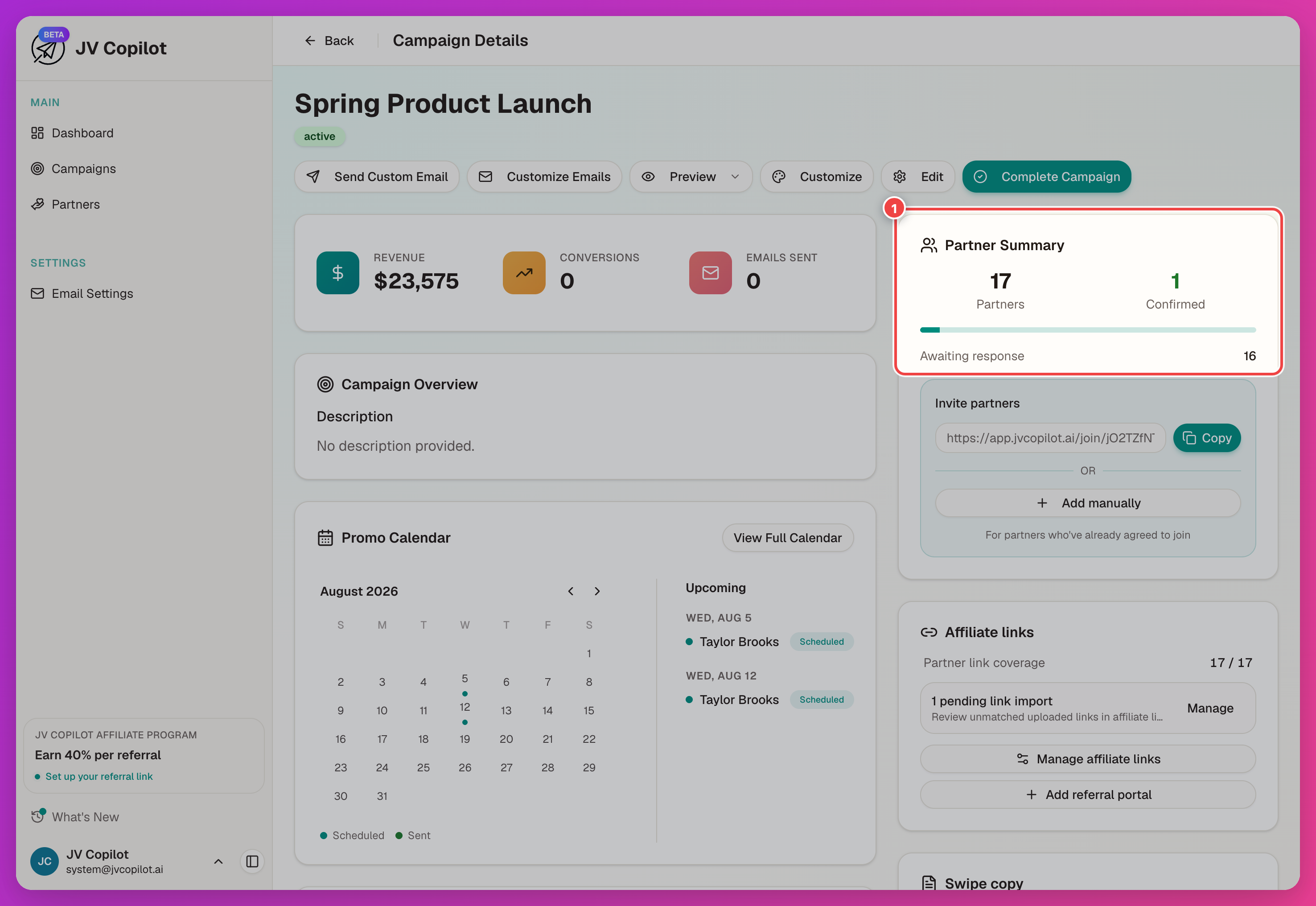
Open the campaign page and review the Partner Summary. Confirm that the total and Awaiting response counts match the partner list you launched with.
2. Watch For Confirmations
Partner statuses update as people receive invitations and respond. See Campaign Partners for each status.
3. Resend Where Needed
For a specific partner's link or activity, open their campaign partner page for Quick Actions and Copy Confirmation Link.
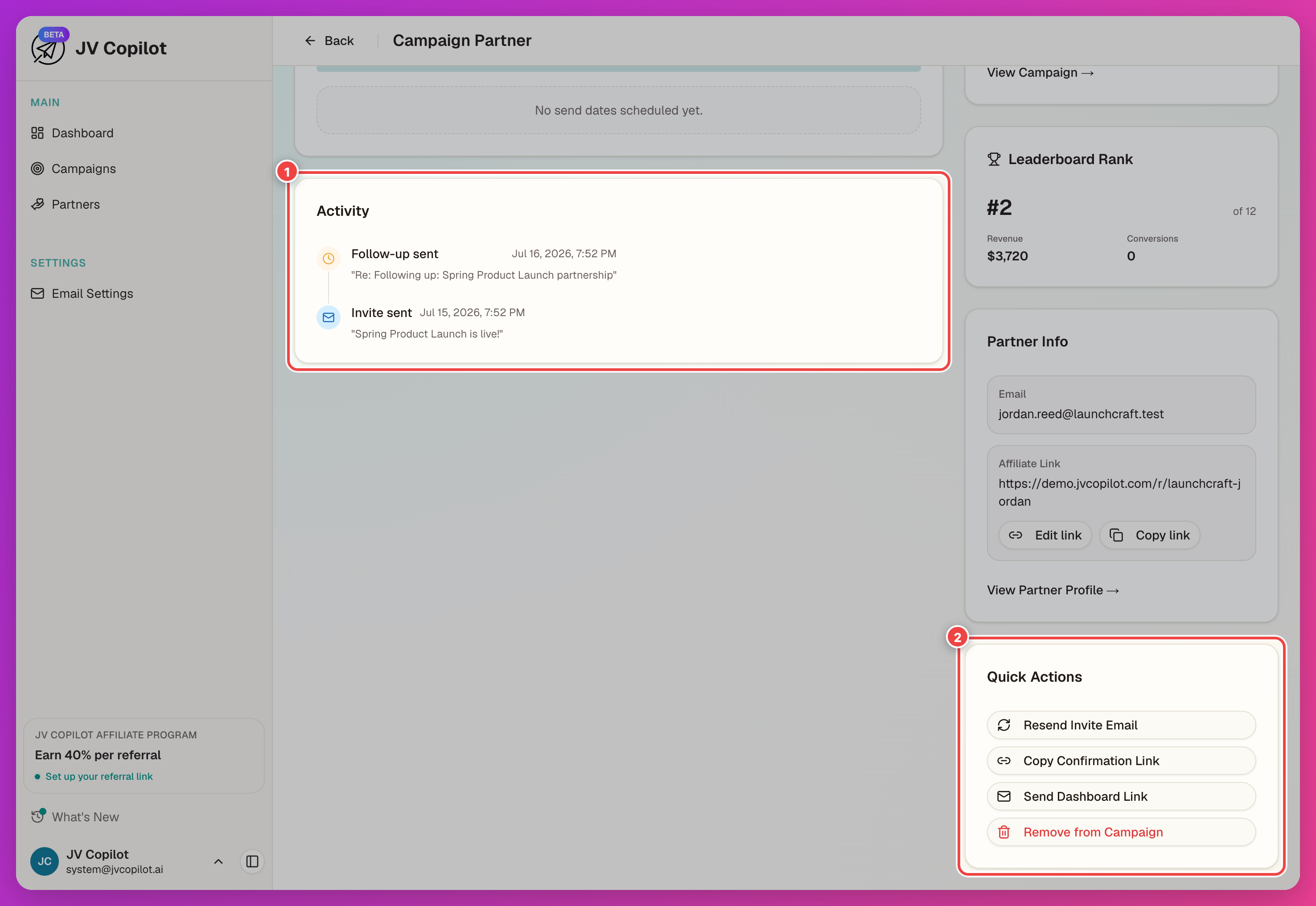
More on statuses and resends in Campaign Partners and Running A Live Campaign.
4. Import Results
Once partners are sending and results start coming in, import them from the Leaderboard card: click Import Sales Data, drop your CSV, and pick which column holds the revenue amount.
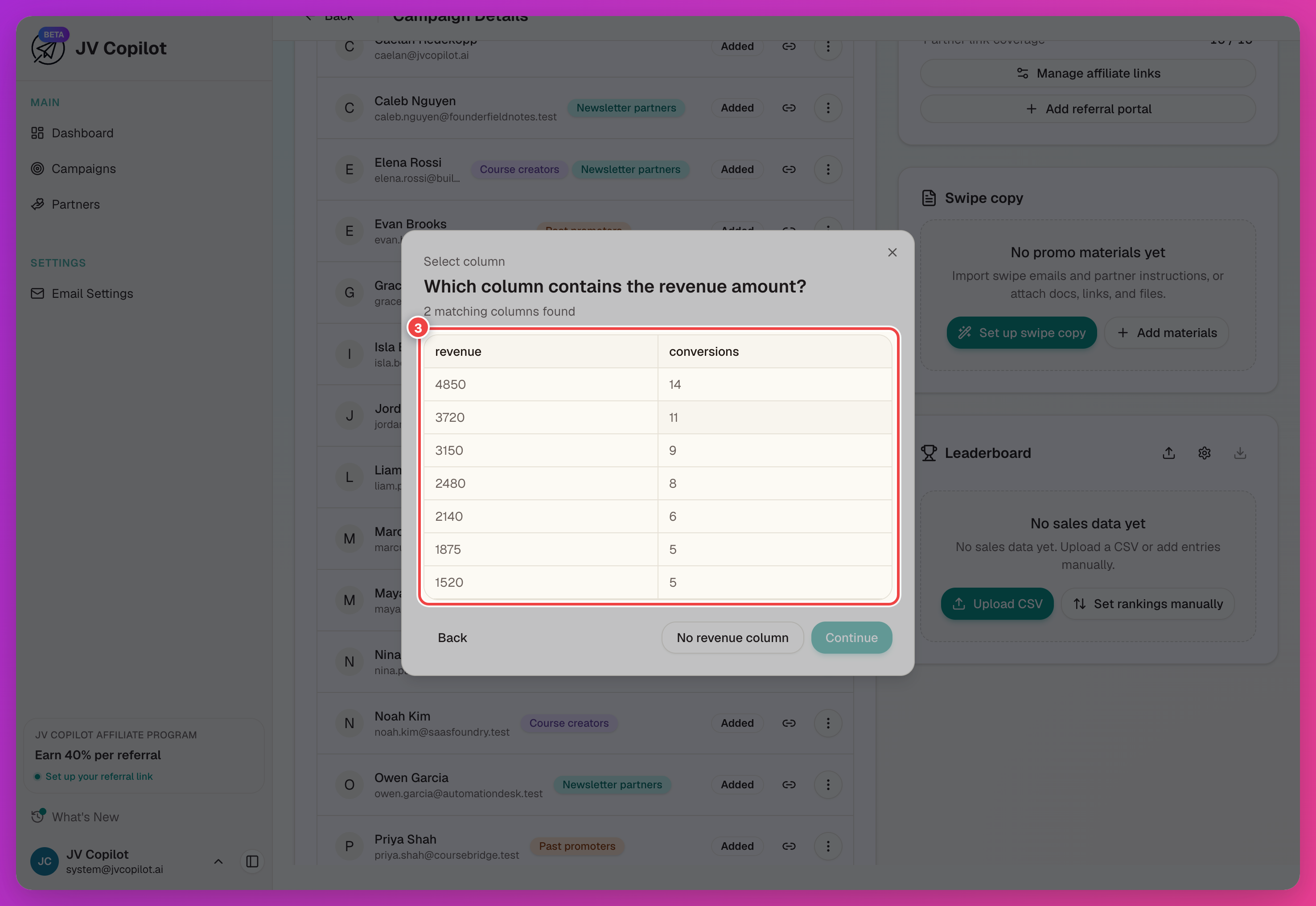
The full import flow — column mapping, linking partners to sales, and what re-importing does — is in Importing Sales Data.
5. Read The Leaderboard
After import, the Leaderboard card ranks partners by their results.
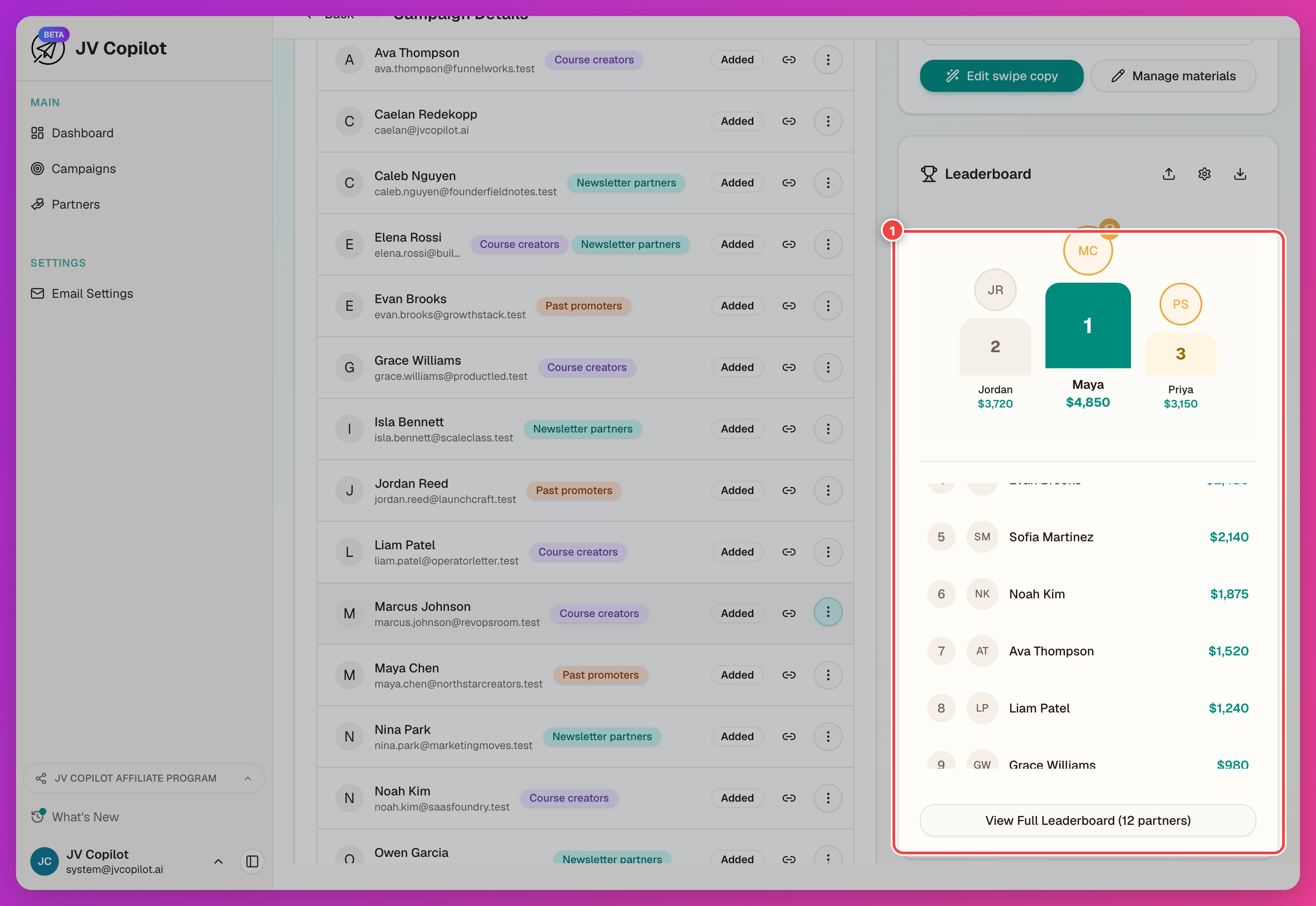
See Leaderboards for settings and templates, and Campaign Stats & Calendar for the stats card and promo calendar.
Next Step
Turn the sales you just imported into a shareable leaderboard image — see Create A Leaderboard.
Related Feature Guides
- Running A Live Campaign — day-to-day actions for managing an active campaign in depth.
- Campaign Partners — statuses, affiliate links, and resends.
- Importing Sales Data — tracking type and sales imports.
- Campaign Stats & Calendar — reading campaign stats and the promo calendar.
Last updated on