
Running A Live Campaign
What changes at launch, reading partner statuses, live partner actions, and campaign stats.
Clicking Launch Campaign moves the campaign from draft to active. This guide covers what's on the campaign page while it's live. For a guided walkthrough of the first days after launch, see Track A Live Campaign.
What Changes At Launch
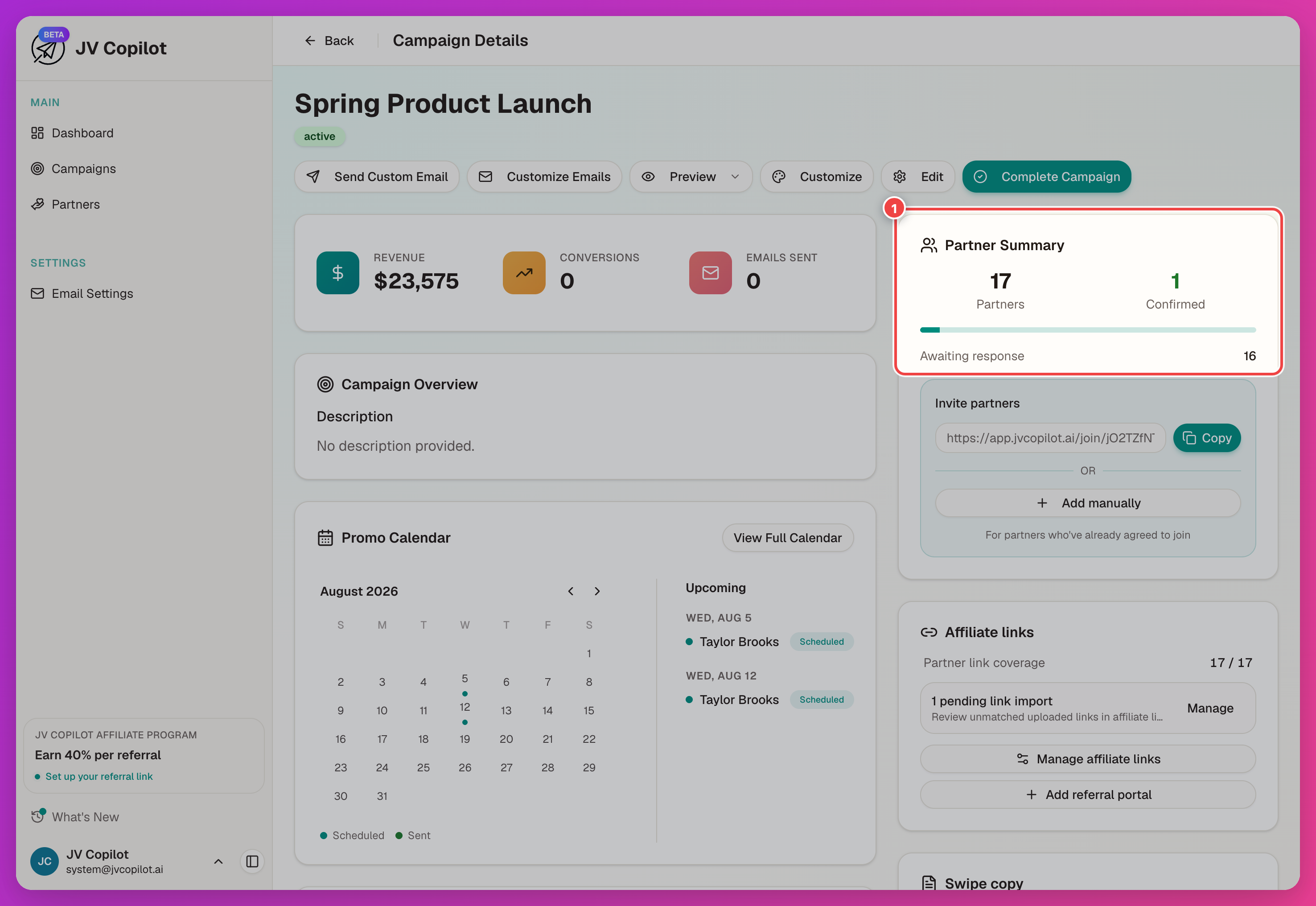
The Partner Summary panel now tracks responses: partner and confirmed counts, plus an Awaiting response count of partners who haven't acted yet.
Partner Statuses On The List
A partner row shows Added only until they're invited — adding and inviting are separate steps, so a partner can sit on the roster uncontacted for as long as you like. Once invited, the badge moves through Invited (or Joined, if they signed up via the join link) and on through confirmation. See Campaign Partners for the full list of statuses a partner can move through, and § Invite Partners for inviting roster partners who haven't been contacted yet.
Partner Row Actions
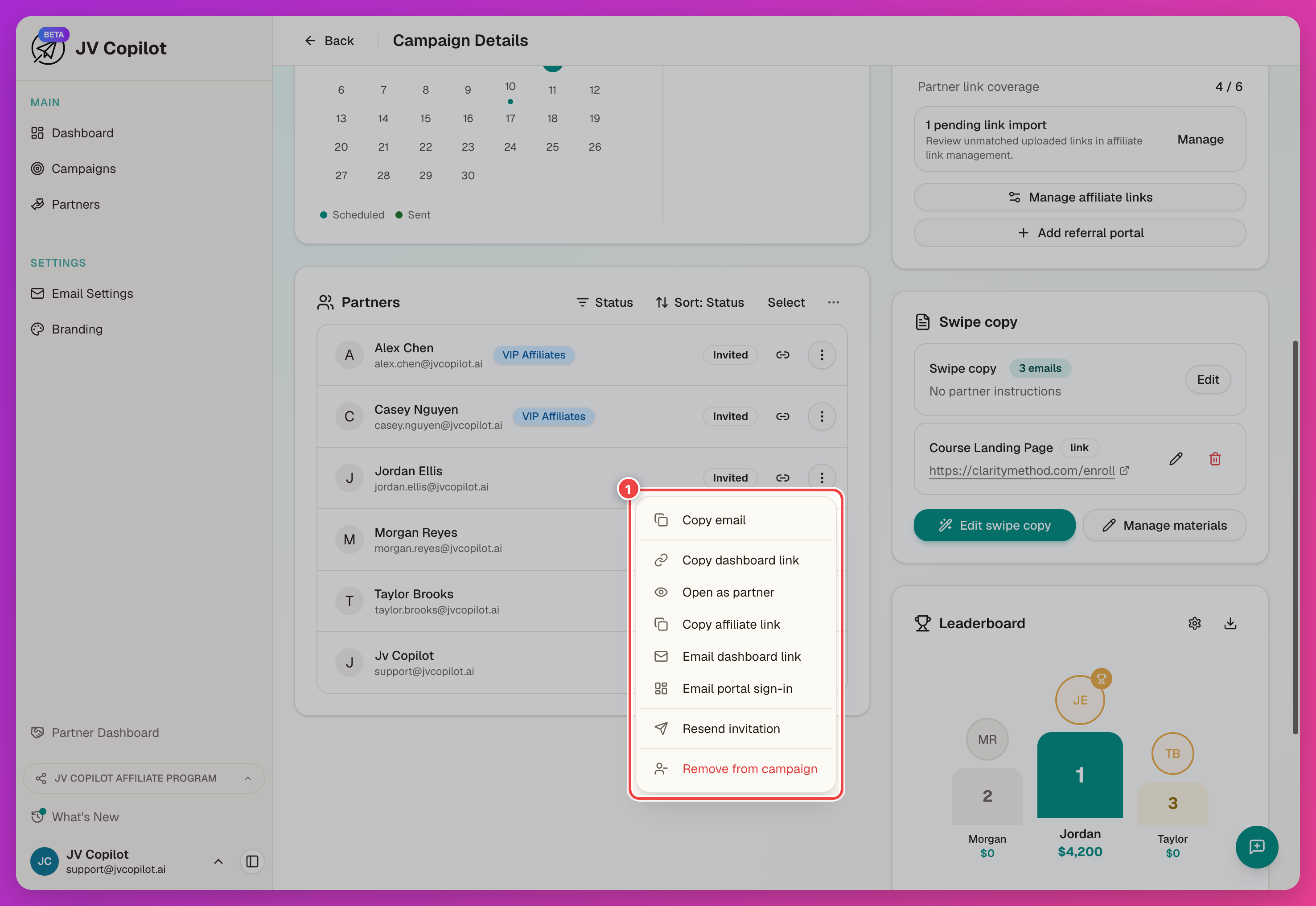
Open a partner row's actions menu (…) to act on an individual partner — see Campaign Partners § Partner Row Actions for the full current menu (copying links, emailing a partner their dashboard access, inviting or resending, and removing them).
Per-Partner Detail
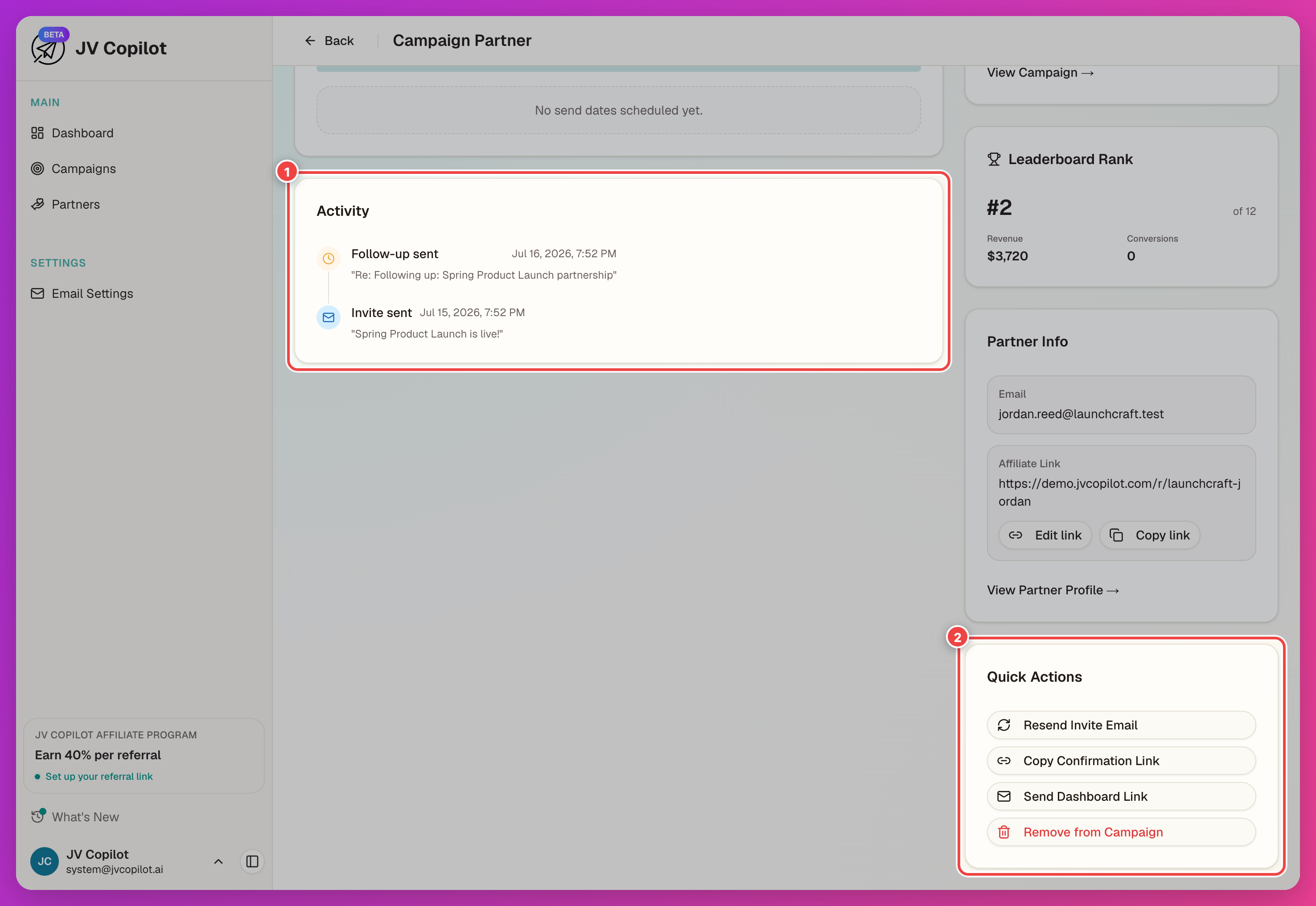
Click a partner's row to open their campaign partner page: Send Status, Activity (fills in as they act after launch), Campaign Info, Leaderboard Rank, Partner Info (email and affiliate link, with Edit link and Copy link), and Quick Actions — Copy Campaign Login Link, Open as Partner, Send/Resend Invitation, Send Dashboard Link once confirmed, and Remove from campaign.
See Campaign Partners for the full reference on statuses, affiliate links, and resends.
Monitor Campaign Stats
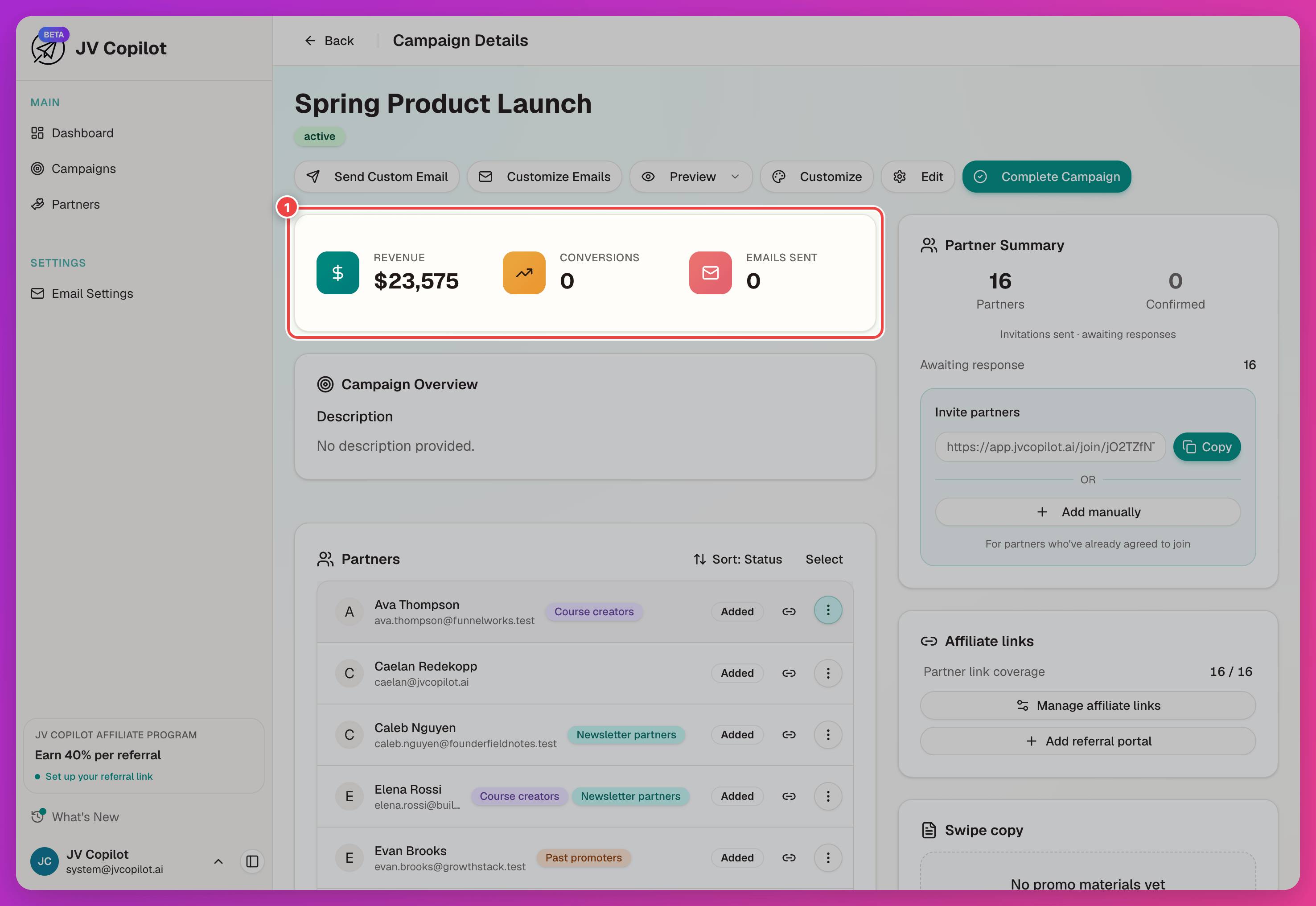
The campaign stats card totals results as they come in — revenue, conversions, and emails sent. Partner counts and confirmations live in the separate Partner Summary panel.
See Campaign Stats & Calendar for reading the card and the promo calendar, and Importing Sales Data for importing sales data.
Last updated on