
Export Partners To CSV
Export the partner database, a campaign's partner list, or a campaign's affiliate links to CSV — with a column picker and current filters applied.
Use CSV export when you need partner data in a spreadsheet — for your own records, to hand off to someone else, or to edit and re-import.
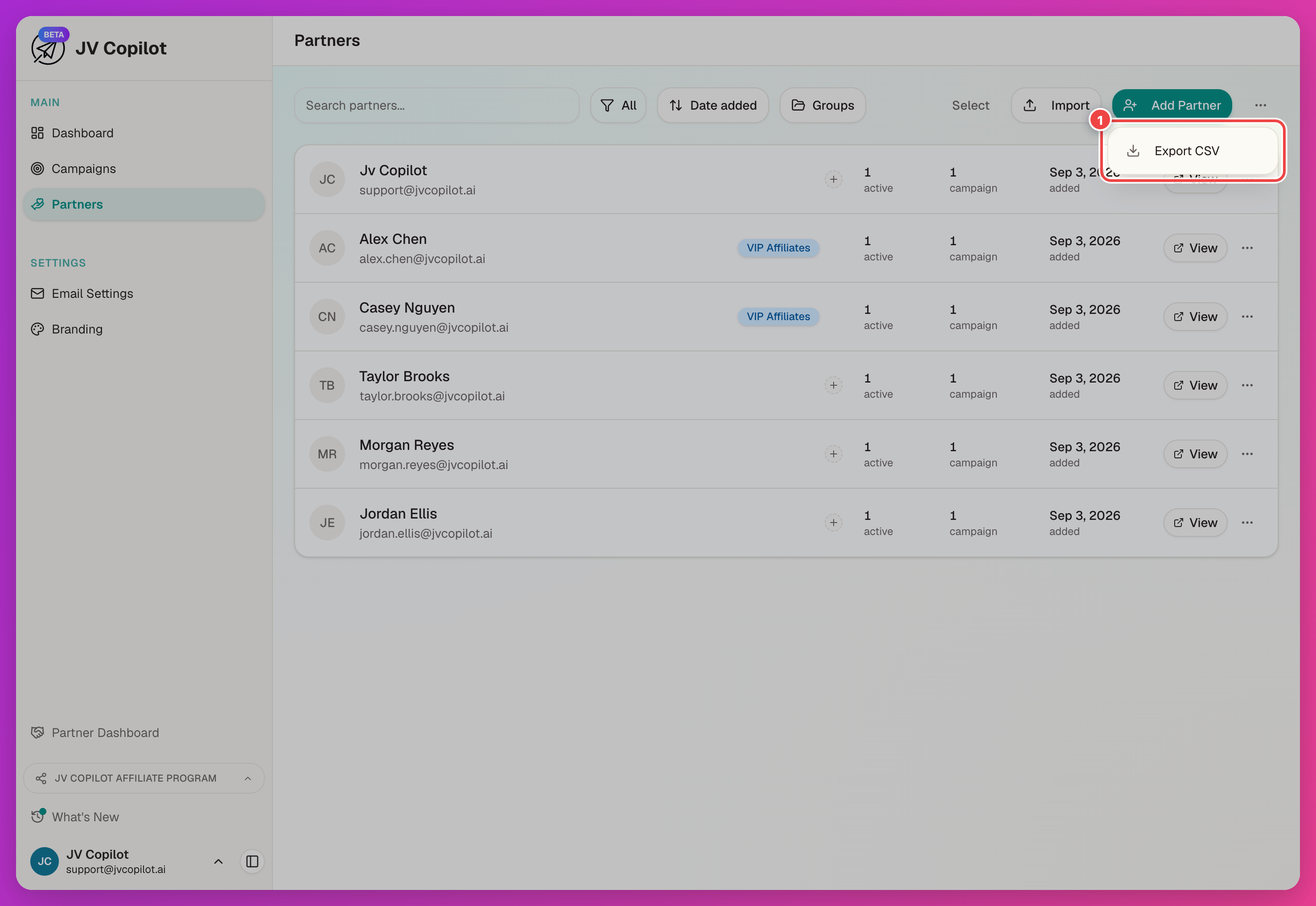
Export The Full Partner Database
The export uses your current search and group filters. To export specific partners, select them before opening the export menu.
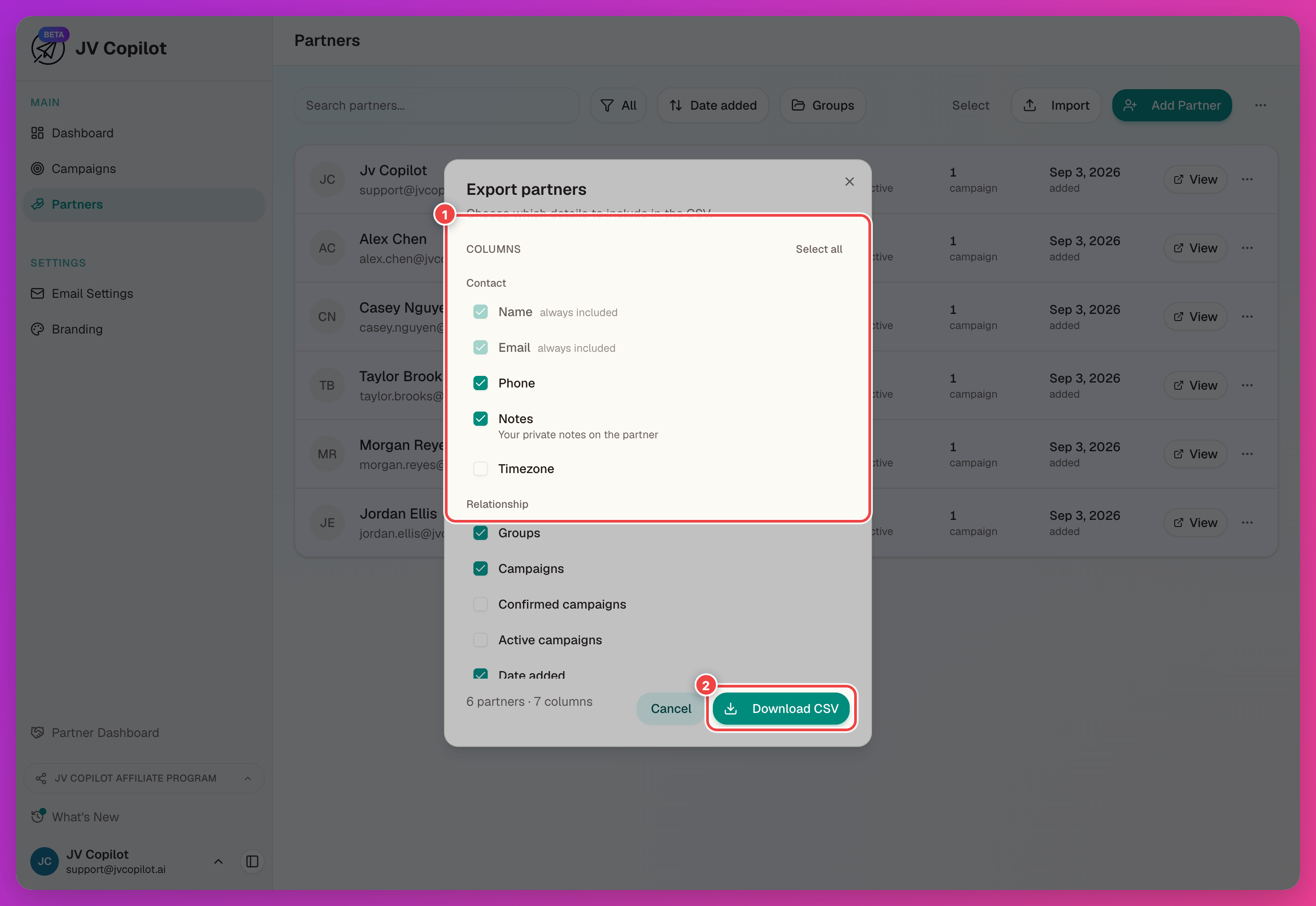
Name and Email always come along; everything else is optional. Your column choices are remembered the next time you export.
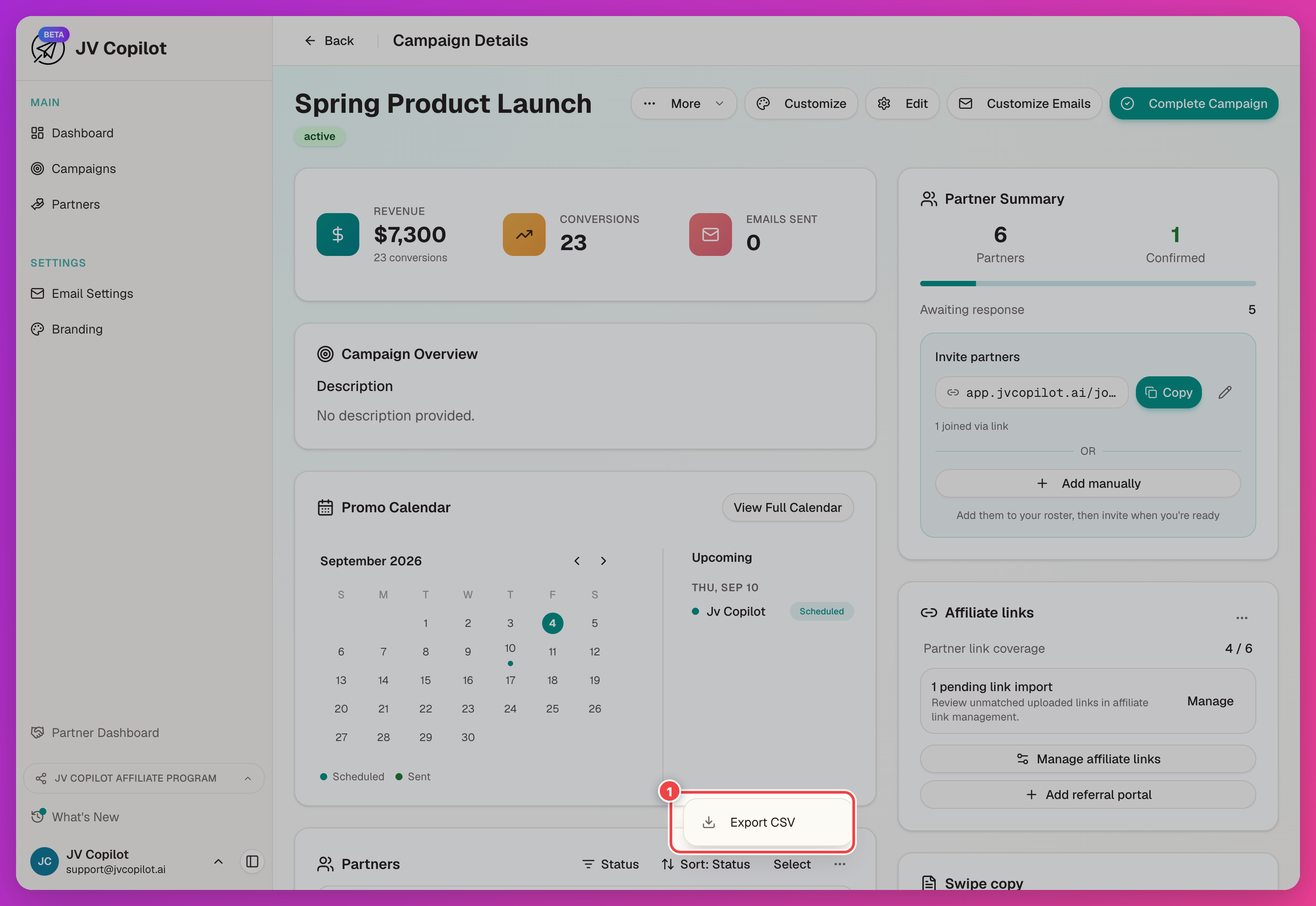
Export One Campaign's Partners
Campaign exports also include campaign-specific columns such as status, send dates, revenue, and conversions. Your current filter, sort order, and selection determine which partners are exported.
Export Affiliate Links As A Fill-In Sheet
The affiliate links export doubles as a template: export it with blank rows for partners who don't have a link yet, send the file to whoever assigns links, then import it back in once it's filled out.
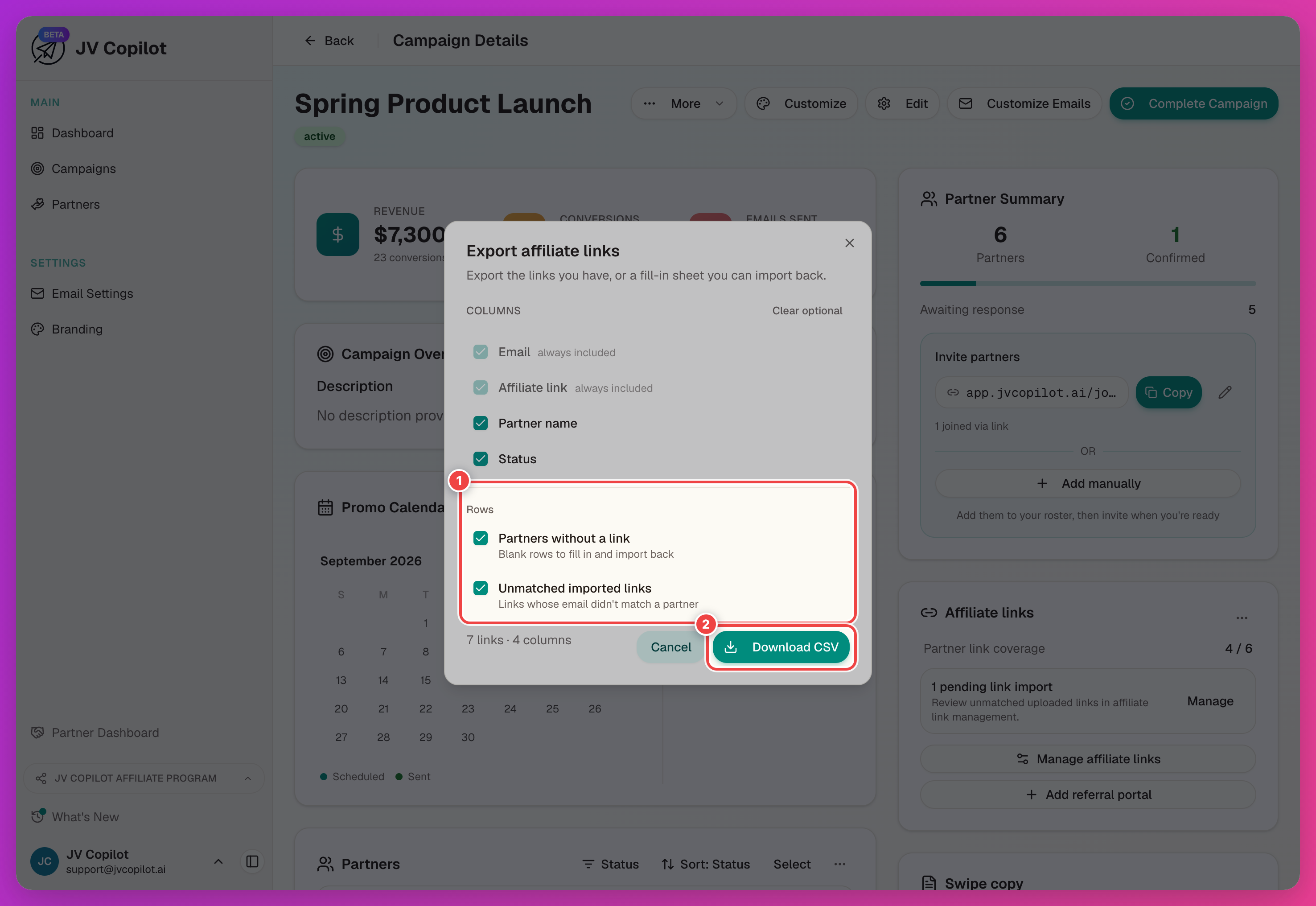
Send the file to the person managing your affiliate links. After they fill it in, import it from the same Affiliate links card. See Getting Started § Add Affiliate Links.
Next Step
Edit an exported partner file and bring it back in — see Import Partners From CSV.
Related Feature Guides
- Partner Database — searching, filtering, and managing partner profiles in depth.
- Campaign Partners — statuses, affiliate links, and per-partner activity for a campaign.
Last updated on