
Campaign Partners
Manage the partner roster, invitations, statuses, filters, affiliate links, and per-partner activity for a campaign.
Each partner has a separate status, affiliate link, send dates, and email history for every campaign they join. Their shared contact details remain in the partner database.
Partner Statuses
Adding a partner to a campaign and inviting them are separate steps (see Add Partners To A Campaign), so the status badge on a partner's row tracks both whether they've been contacted and how they've responded:
- Added — on the roster, but no invitation has gone out yet.
- Invited — an invitation was sent; awaiting a reply.
- Joined — signed up themselves through the campaign's join link; also awaiting a reply.
- Confirmed — submitted the confirmation form, whether or not the campaign has launched yet.
- Complete — finished their campaign work.
- Declined — declined to participate.
- Opted Out — left the campaign.
Add Partners To A Campaign
Click Add manually in the Invite partners panel. Choose individual partners, or use By Group to add an entire partner group.
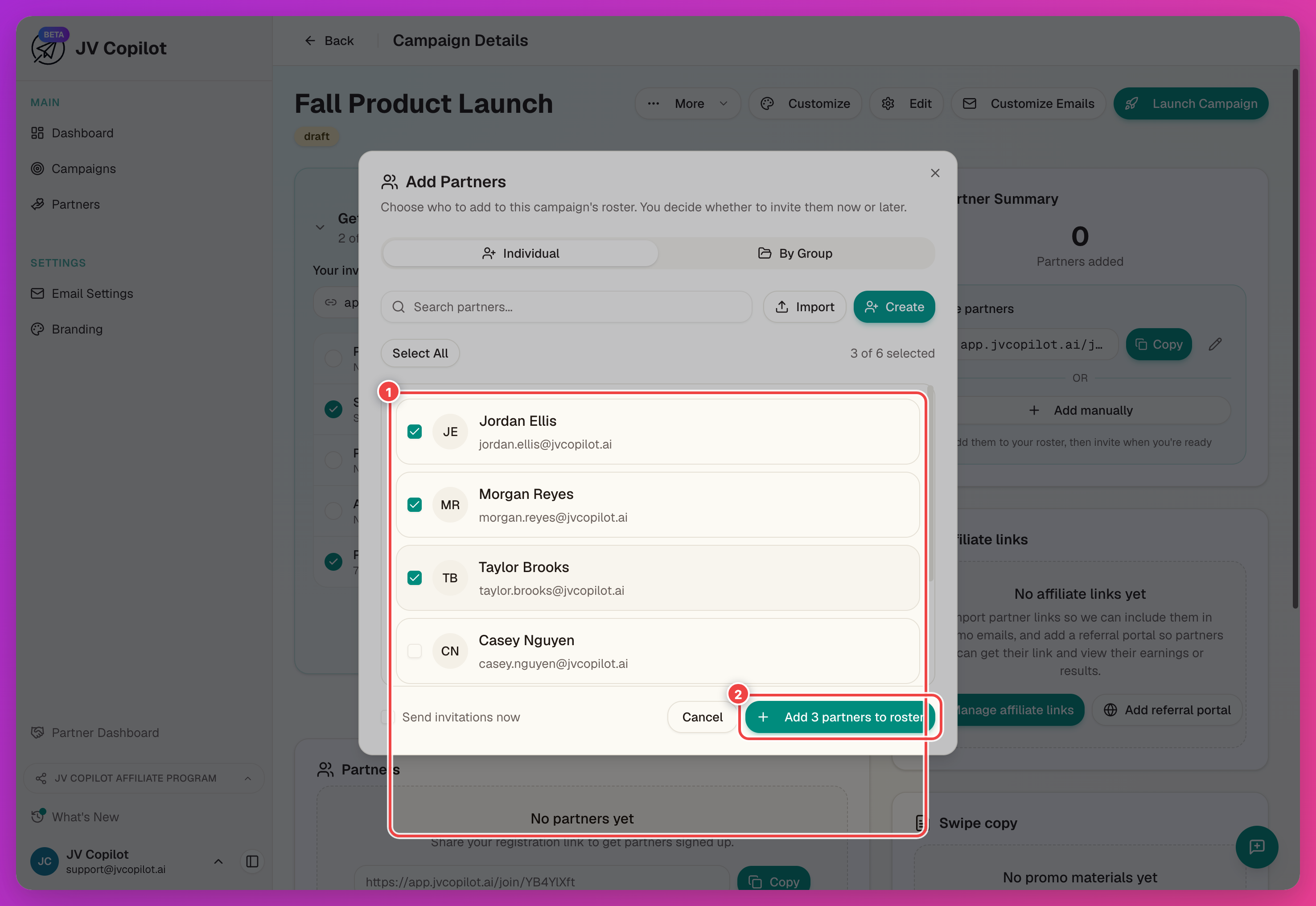
Adding partners does not always send an invitation. Use Send invitations now to choose whether to email them immediately. This option is off by default for draft campaigns and on for live campaigns.
Partners can also join themselves through the campaign join link. Because they already used the link, JV Copilot does not send them another invitation.
Invite Partners
Partners who have not received an invitation appear under Not yet invited. Click Send invitations beside the count to email them:
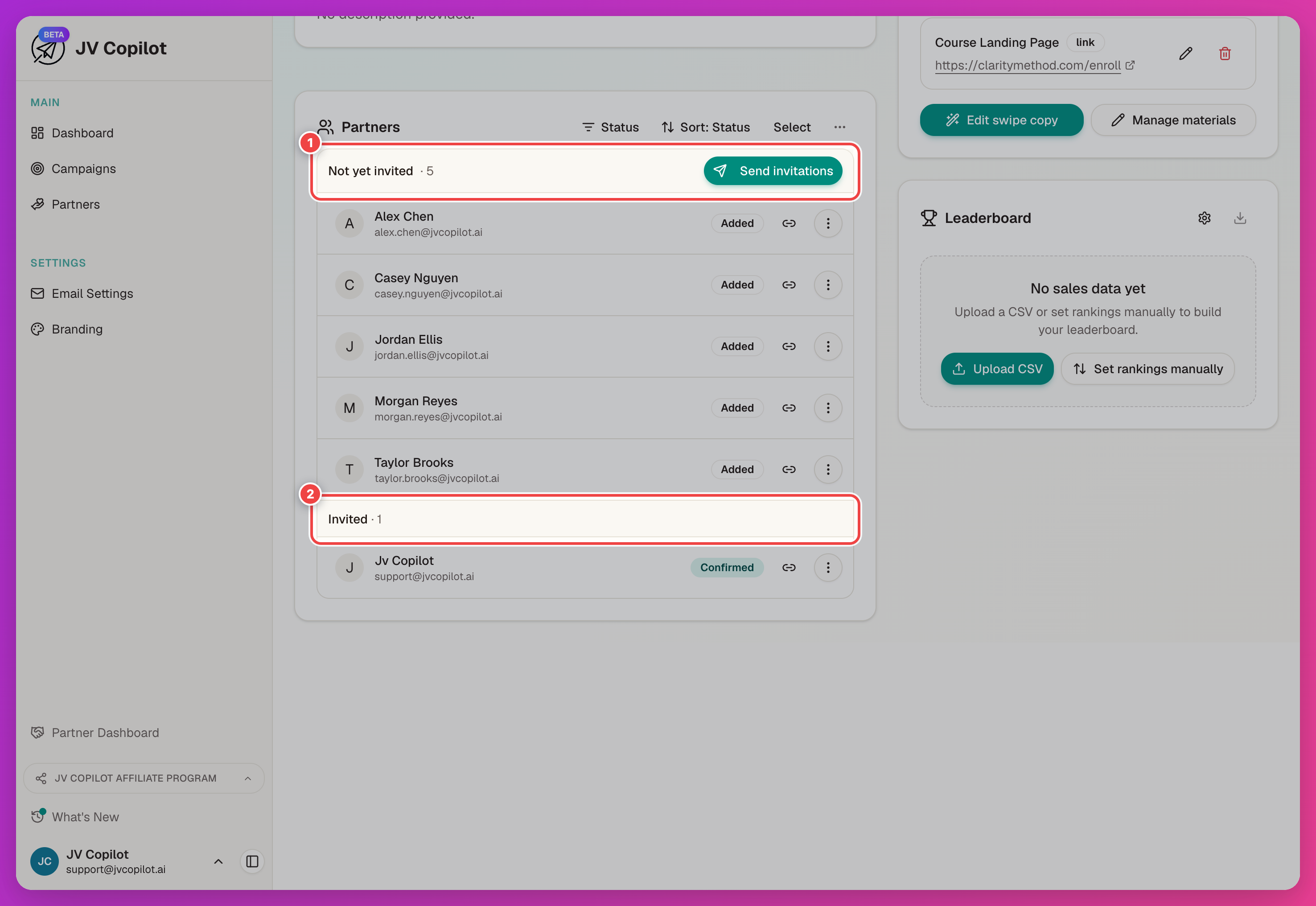
Once everyone has been contacted at least once, both group headers disappear and the list goes back to a single sorted view.
To invite one partner, open their actions menu and choose Send invitation. If they have not replied to an earlier invitation, choose Resend invitation. You can also select several partners and send or resend invitations together.
JV Copilot asks you to confirm before sending. For a mixed selection, the confirmation shows how many partners will receive a first invitation and how many will receive another copy.
Sending invitations emails partners
Confirming a Send invitations or Resend invitations action queues real emails to every partner it names. Declined, opted-out, and self-registered partners are never included.
Launching the campaign still offers to email everyone who hasn't been invited yet — the launch review screen shows a pre-checked "Send invitations to N partners who have not been invited" box you can uncheck if you'd rather launch without contacting them yet.
Filter And Bulk-Manage Partners
Use the Status filter above the partner list to show Not invited, Awaiting reply, Confirmed, Complete, or Not participating partners. The filters combine related statuses: Awaiting reply includes Invited and Joined, while Not participating includes Declined and Opted Out. Choose Show all to clear the filter.
Click Select to enter selection mode. With partners selected, you can:
- Send or resend invitations (see above).
- Remove the selected partners from the campaign.
- Use the Groups button to add the selection to an existing partner group, or create a new one inline — the same button removes partners from a group they're already fully in.
- Export the selection to CSV (see below).
The status filter and selection mode combine — filter to Confirmed, then Select All picks up only the confirmed partners on screen, so a group action or export applies to just that filtered set.
Edit A Partner's Affiliate Link
Click the link icon on a partner's row to open the Affiliate links manager, then Edit on their row to set or change their campaign-specific link. Leave the field empty to fall back to the campaign default when one exists.
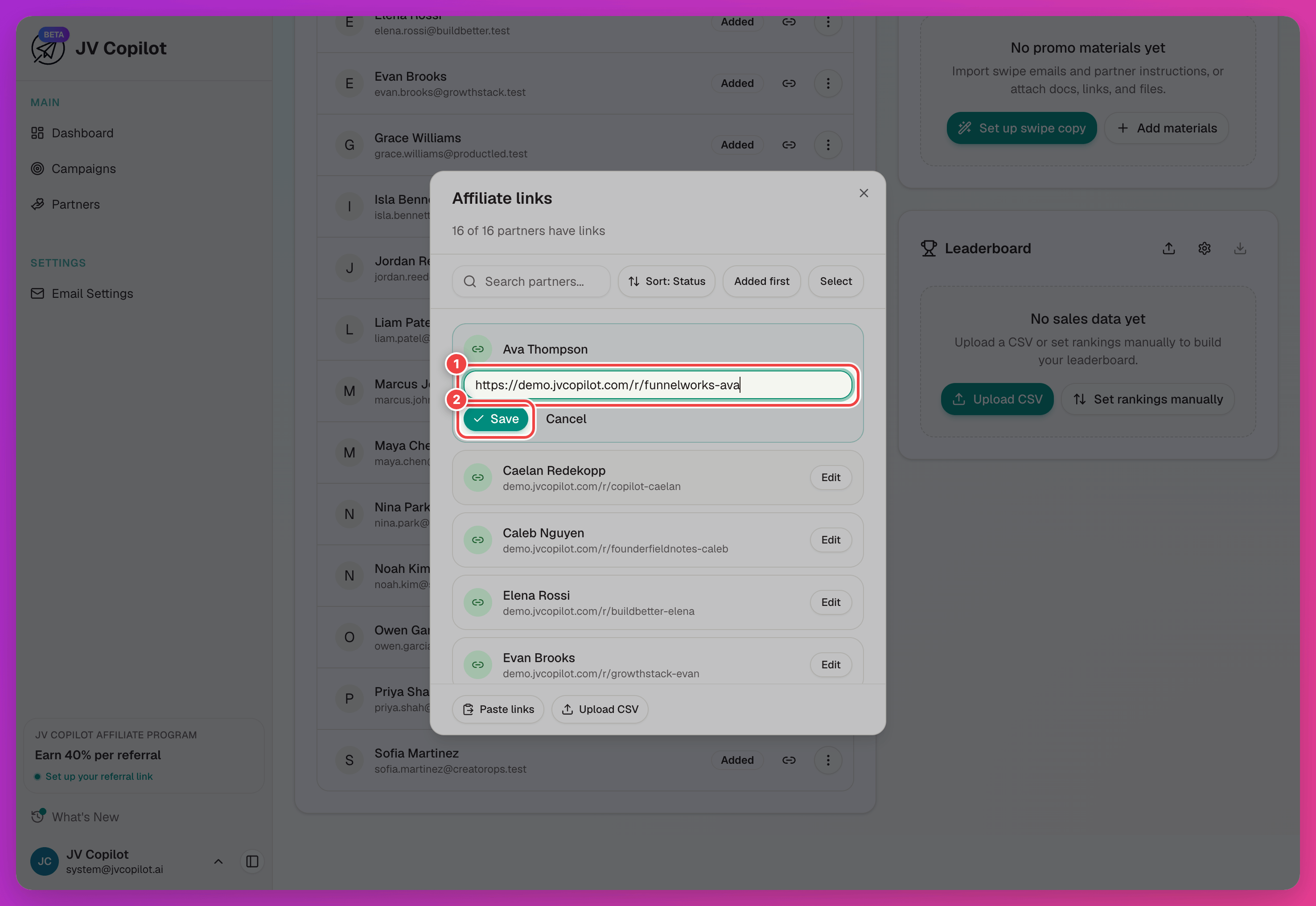
To set links for the whole list at once, use the Affiliate links card's bulk import — see Getting Started § Add Affiliate Links.
Unmatched imports
If an imported email address does not match a current partner, JV Copilot keeps the link as pending. Open Pending to review it:
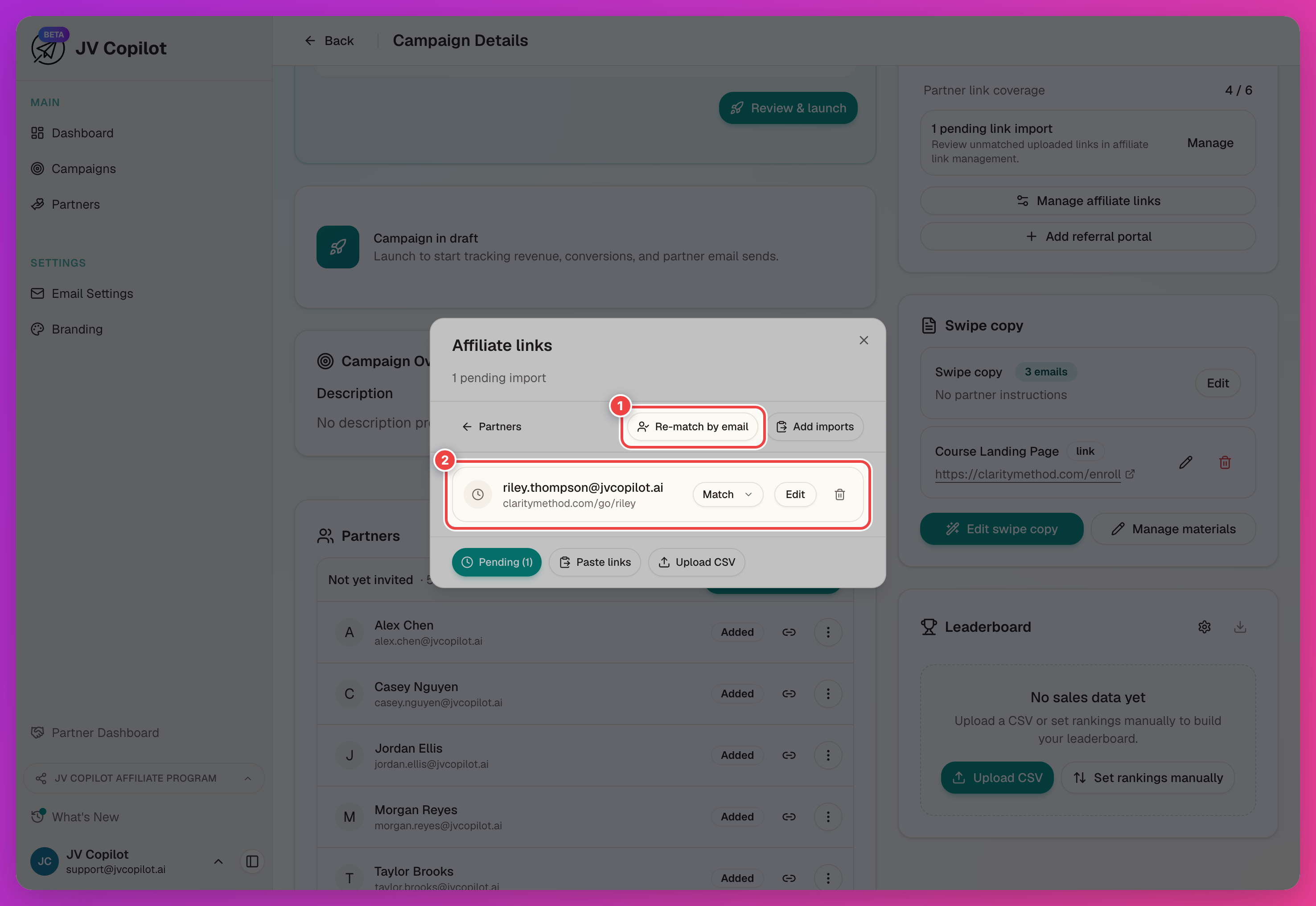
- Click Match on a pending row to assign it to a specific partner from a dropdown (rows already carrying a link show "Replaces current link").
- Click Re-match by email after adding missing partners to try matching all pending links again.
- Edit or remove a pending import directly if the link itself needs fixing or was a mistake.
Partner Row Actions
Open the actions menu (…) on a partner's row:
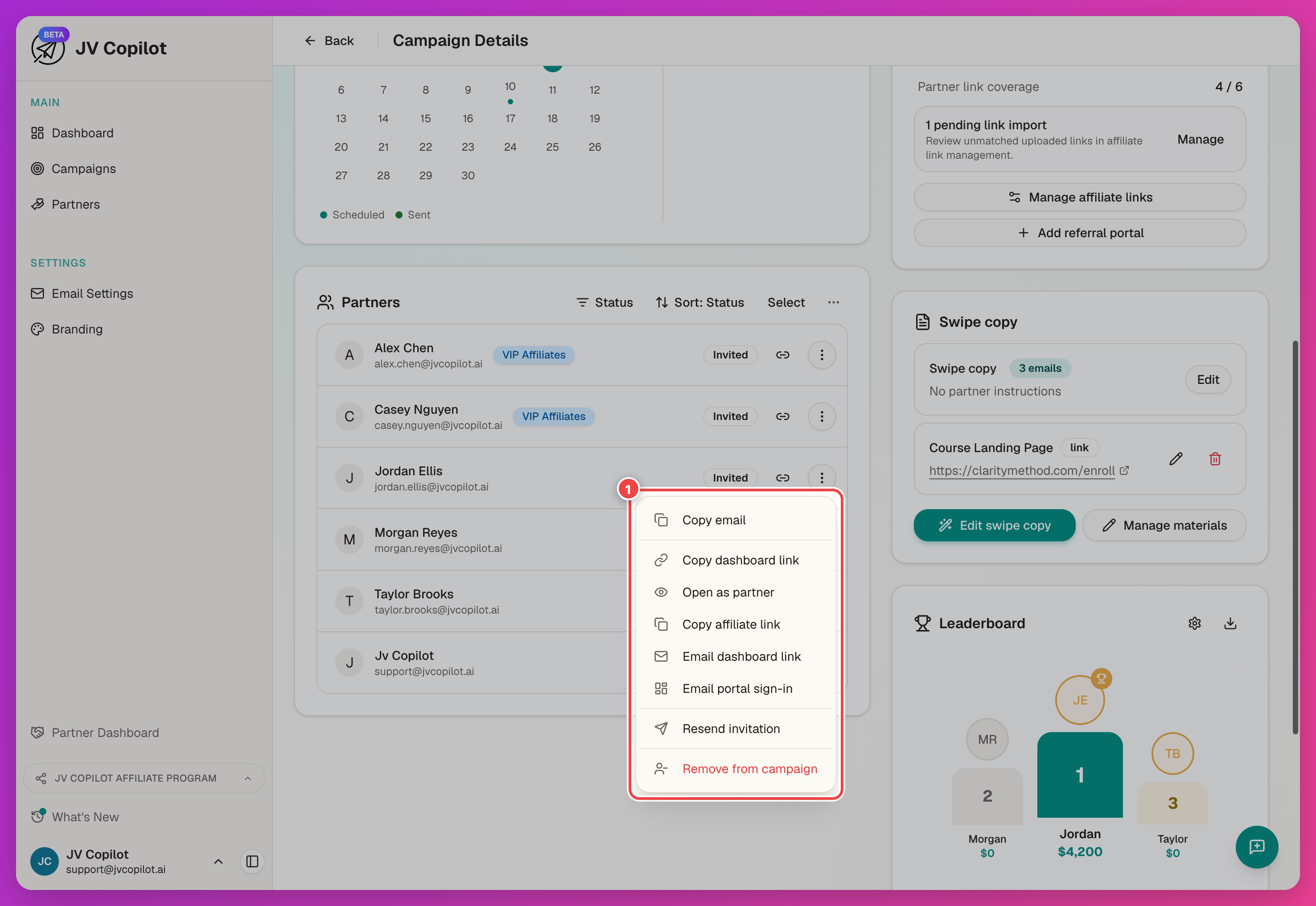
- Copy email — copy the partner's email address.
- Copy dashboard link — copy a link that opens this campaign's partner dashboard without requiring sign-in.
- Open as partner — open that same dashboard link in a new tab.
- Copy affiliate link — copy the partner's campaign-specific affiliate link (disabled, and reads No affiliate link yet, until one is set).
- Email dashboard link — email the partner their no-sign-in dashboard link. Appears once the campaign is live.
- Email portal sign-in — email the partner a sign-in link to their partner portal. Unlike the dashboard link, this covers every campaign they're part of, not just this one.
- Send invitation / Resend invitation — see Invite Partners.
- Remove from campaign — take the partner off this campaign.
Removing a partner deletes their campaign-specific record only — the reusable partner profile stays in your database.
Export Partners And Affiliate Links To CSV
An Export CSV button above the partner list (and on the affiliate links card) downloads that campaign's partners or affiliate links, with a column picker, respecting whatever status filter and selection are active. See Export Partners To CSV for the full walkthrough.
View Activity And Email Stats
Click a partner's row to open their campaign partner page: activity feed, send status, and quick actions. Once the campaign is live, the activity feed and email send status fill in as the partner acts.
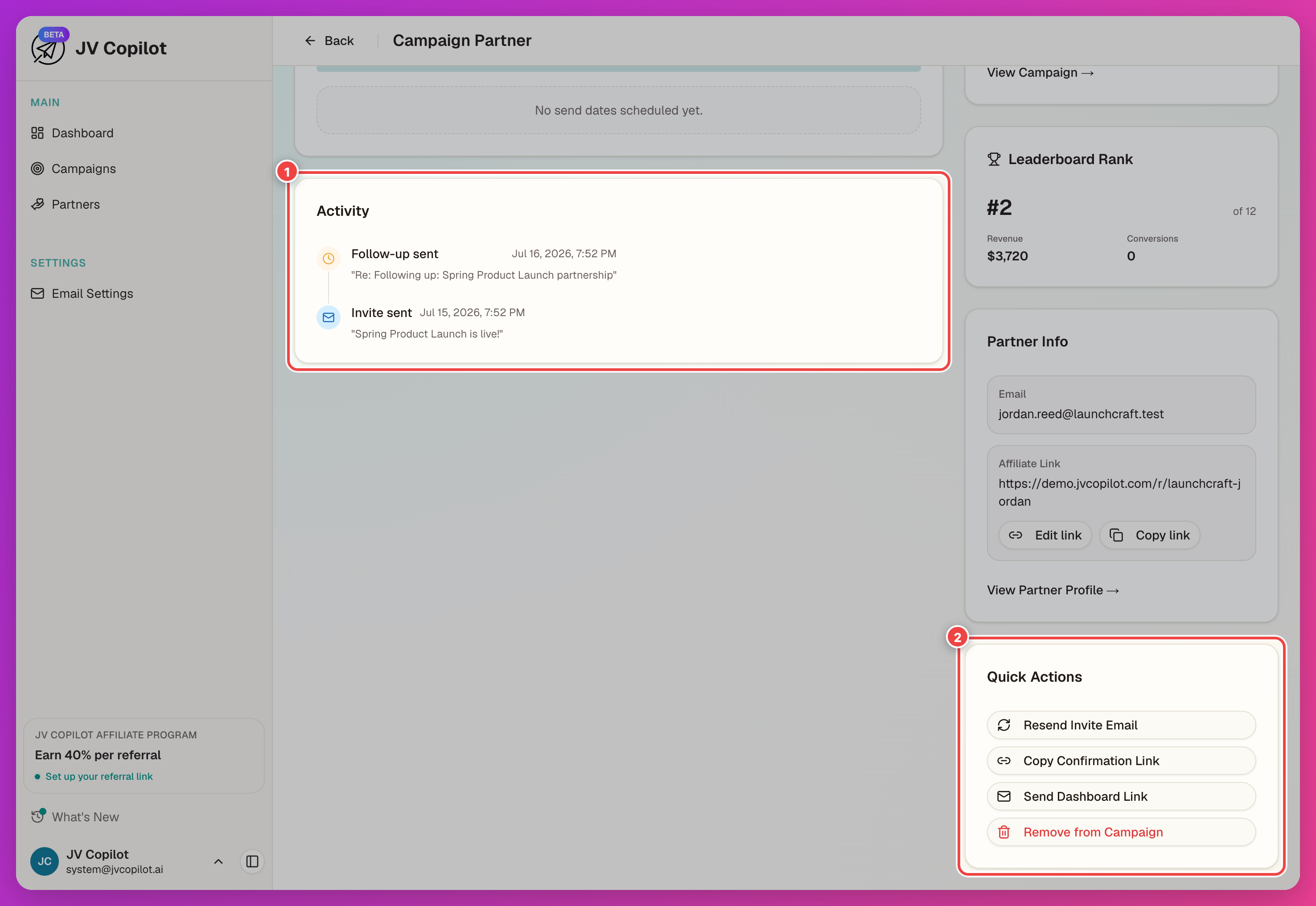
Send Dates
Partners usually pick send dates through the confirmation form. When a date changes, update it from the partner's dashboard or their campaign partner page.
Last updated on