
Affiliate Program
Join the affiliate program, share your referral link, track commissions, and request payouts.
The affiliate program lets you refer people to JV Copilot and earn commissions.
Join And Get Your Link
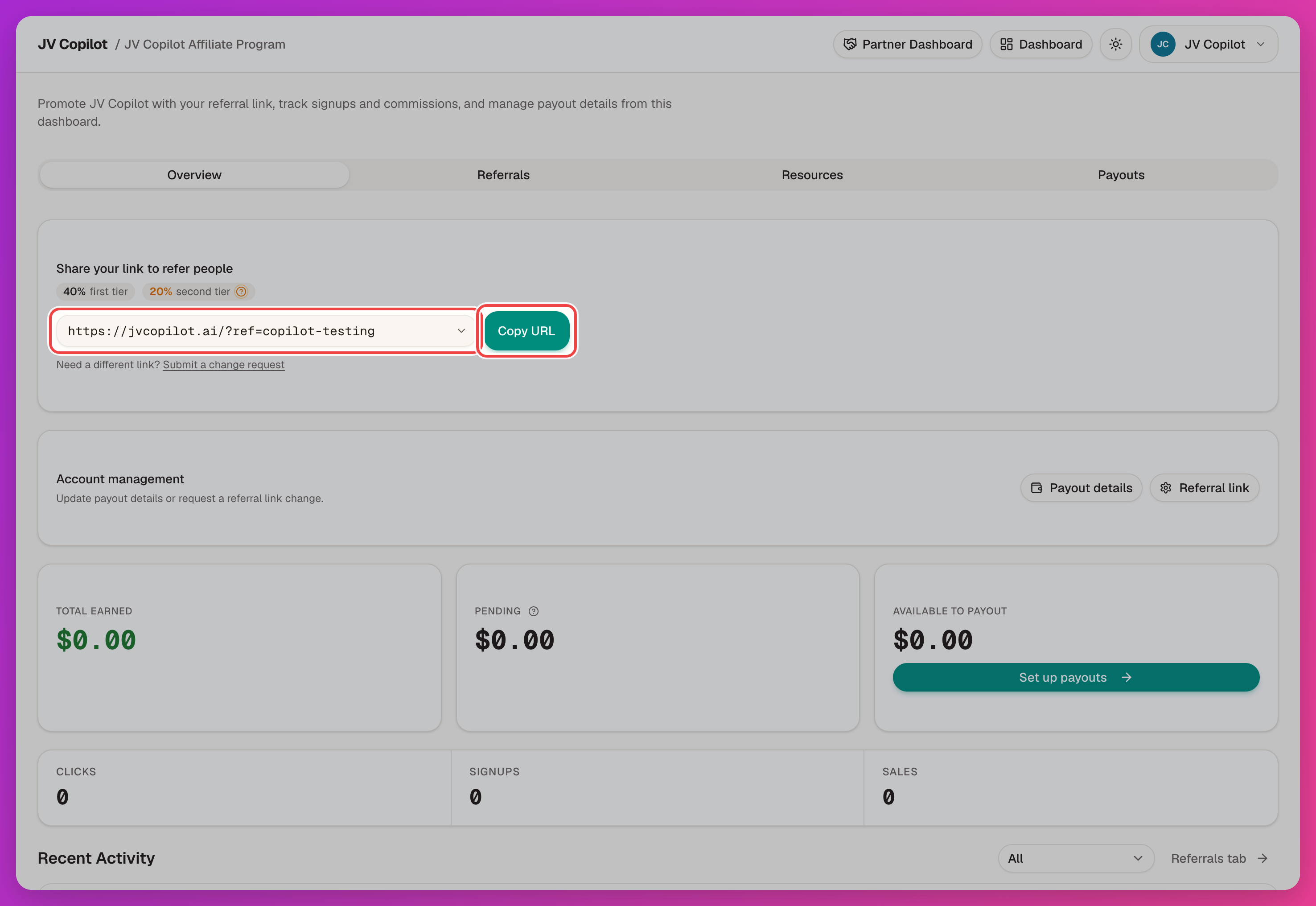
Open the affiliate area and activate your referral link — pick a short slug, since it's permanent. Then copy your link from the affiliate dashboard's Overview tab with Copy URL.
How Referrals Are Credited
When someone visits through your referral link, JV Copilot remembers that you sent them — so when they sign up, the referral is credited to you. The dashboard's Overview tab tracks your clicks, signups, sales, and earnings.
Commission Structure
Standard commission rates are:
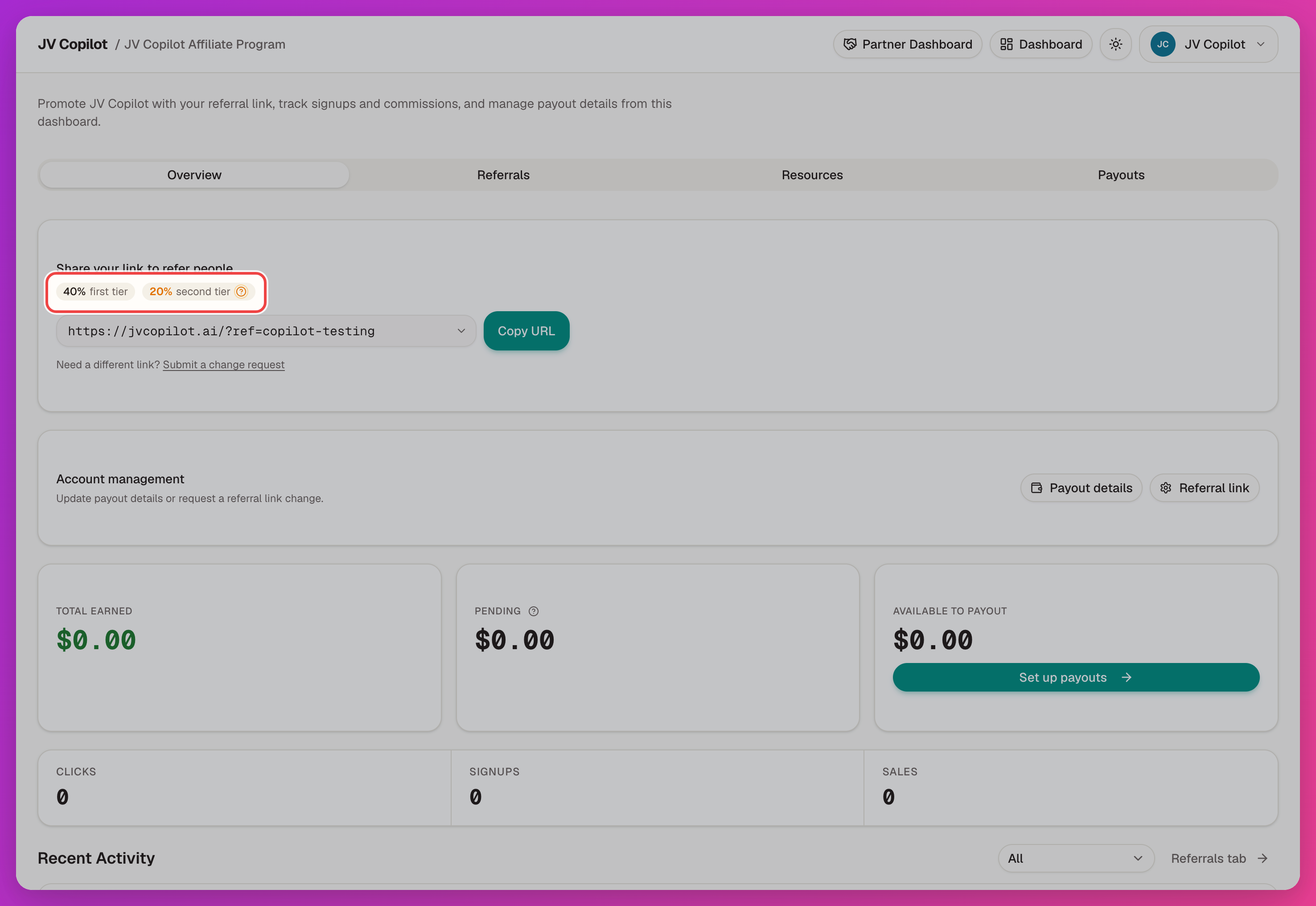
- 40% first tier.
- 10% second tier.
- 20% second tier after referring 50+ affiliates or when your account has an upgraded second-tier rate.
Your current rates show as badges next to your referral link — use those as the source of truth for your account.
Commission Tracking
When someone you referred pays, you earn the commission right away. It's then held for 30 days (covering the refund window) before it moves into your payout-ready balance.
Payouts
Open the Payouts tab and Set up payouts to add a payout method. Your earned, pending, and available-to-payout balances show on the Overview tab; past payouts show under Payout History.
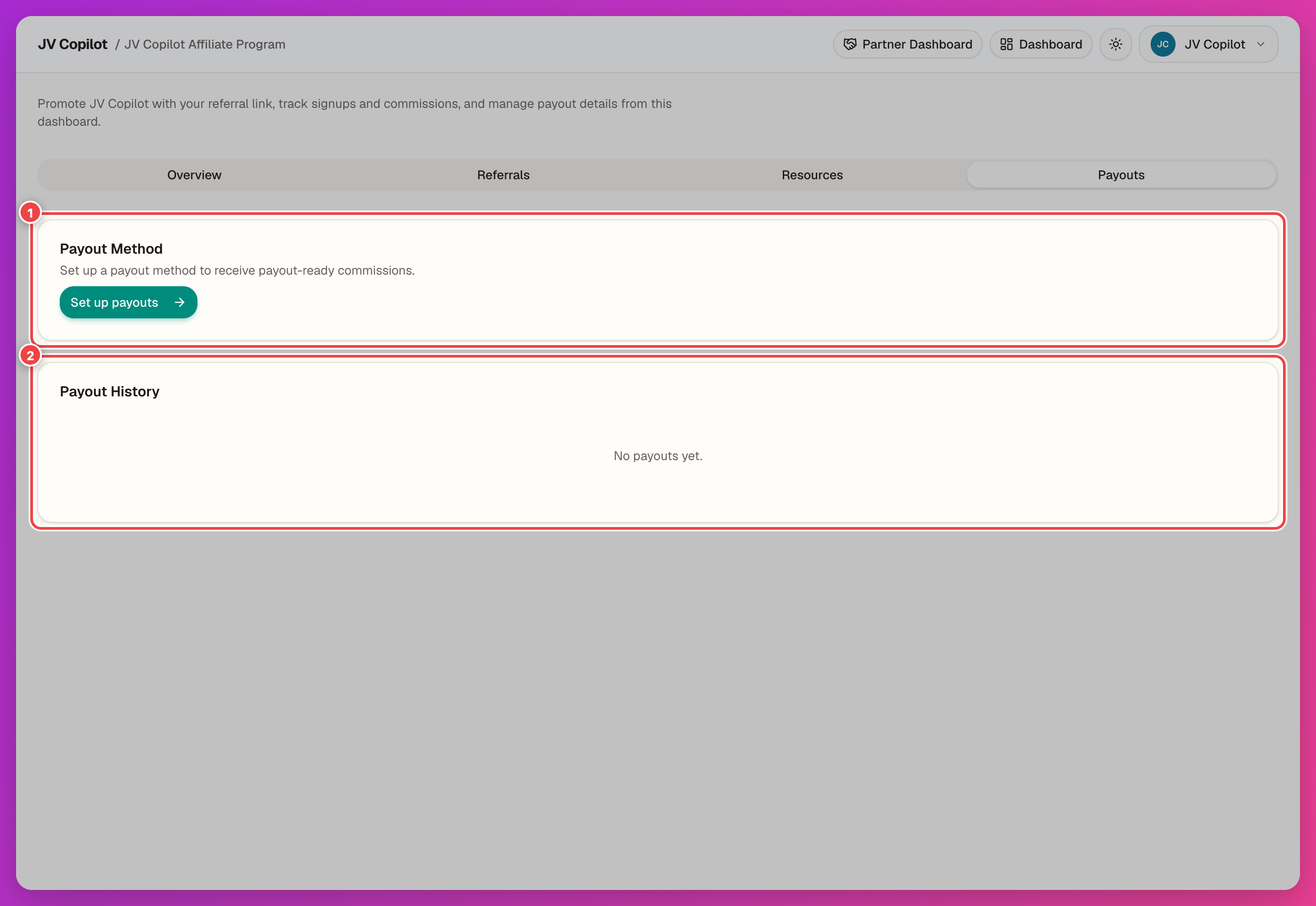
Request a payout once your available balance reaches $50.00.
Refunds And Adjustments
Refunds and adjustments can reduce future payout balance. Review the available balance and adjustments shown on the payout page before requesting a payout.
Last updated on