
Account & Billing
Manage your account profile, plans, launch access, subscriptions, invoices, and shared-workspace billing.
Billing in the account menu is where you pick a plan, manage your subscription, and download invoices. It also controls how many campaigns you can launch.
Account Profile
Open Settings in the account menu to edit your personal details, like your name and login email. Settings that affect the whole workspace, such as the workspace name, sender identity, and team members, live on the Workspace page instead.
Plans
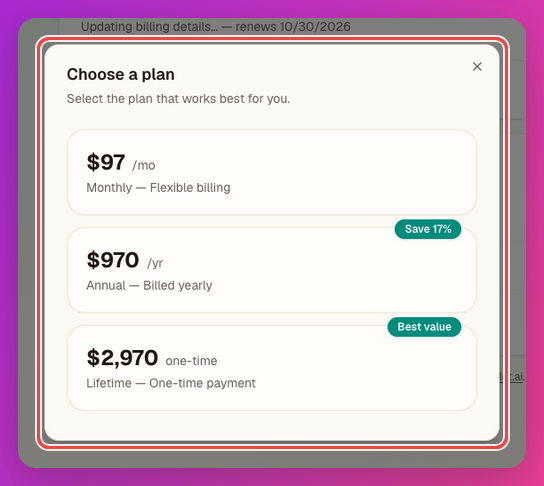
Available plans are:
- Monthly: $97 per month.
- Annual: $970 per year.
- Lifetime: $2,970 one-time.
Monthly and annual are subscriptions. Lifetime is a one-time purchase.
Free Campaign Limit
Your account includes the free campaign launch limit shown in billing. After you use the free launch limit, JV Copilot requires paid access before launching more campaigns.
Paid access can come from an active subscription, lifetime access, or account access granted by JV Copilot.
Upgrade, Manage, Or Cancel
Open Billing to Choose a plan or Change plan. Use Manage in Stripe for payment details, Cancel plan to cancel at the end of the billing period, and Reactivate plan to undo a scheduled cancellation.

After checkout, refresh if access does not update immediately.
Invoices
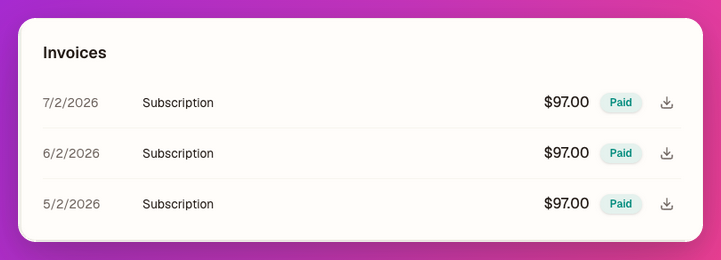
Use Invoices to review billing history and download invoice files. Lifetime purchase receipts can appear alongside subscription invoices.
Shared Workspaces
Billing belongs to the workspace owner, and adding team members to a workspace is always free. If you are in a shared workspace, billing controls can be hidden. This is expected. Switch back to your own workspace to manage your own subscription. See Workspace Basics § Adding People Is Free.
Last updated on