
Importing Sales Data
Choose what a campaign counts — revenue or signups — import your sales file, and understand what re-importing does.
Importing sales data is how campaign results get into JV Copilot: once imported, totals show on the campaign stats card and partners get ranked on the leaderboard. If you're looking for partner progress — who confirmed, who's sending when — that's the stats card and promo calendar, not this page.
Choose A Tracking Type
Set the tracking type from Edit Campaign: Revenue ranks partners by sales value; Signups ranks them by opt-ins and conversions.
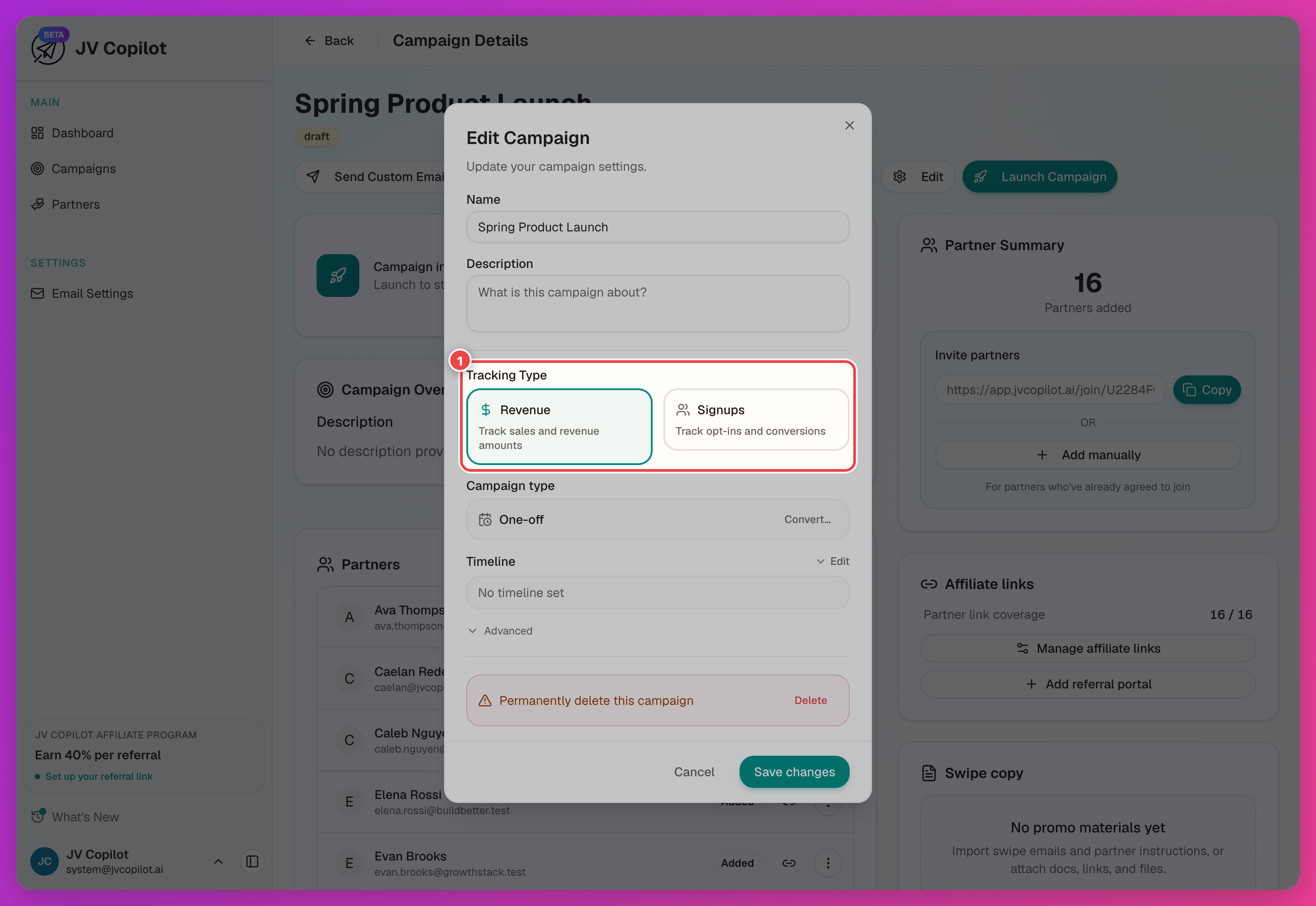
The tracking type locks once leaderboard data exists for the campaign, so set it before you import any results.
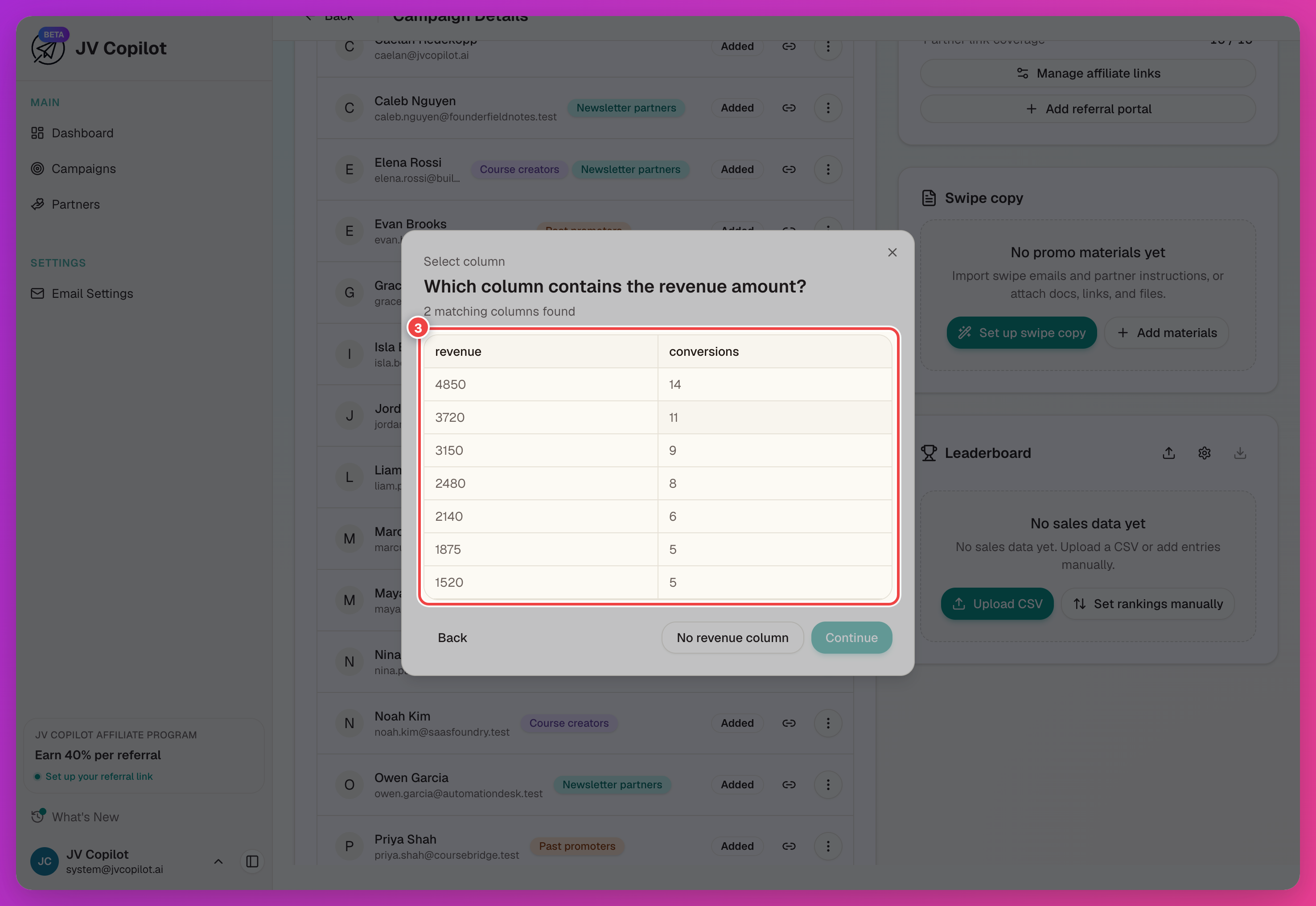
Import Sales Data
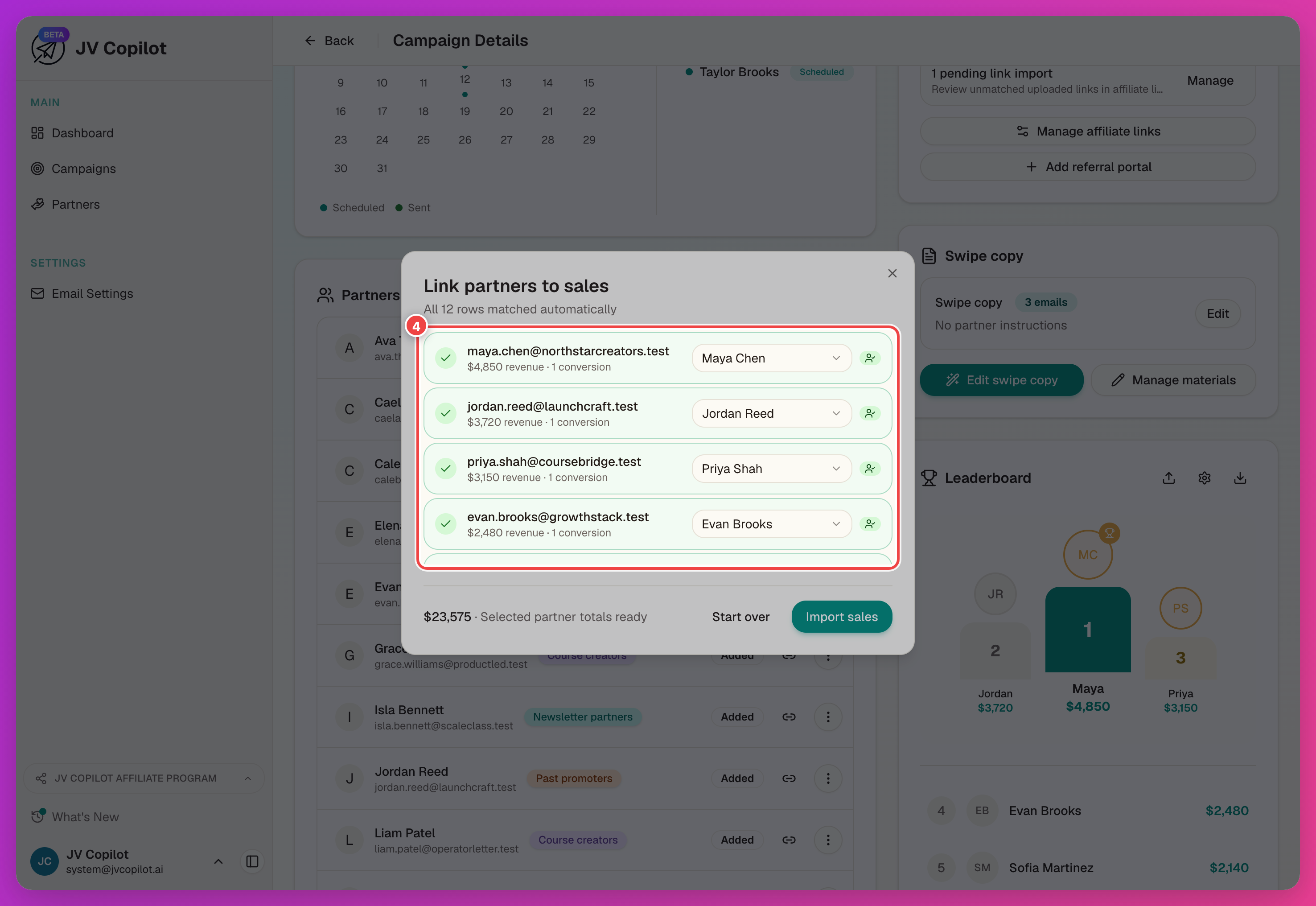
Review Link partners to sales: JV Copilot matches rows to partners by email automatically, and reports how many rows matched. Click a row to exclude it, or use the partner picker to fix a mismatch.
Re-Importing Replaces Data
Re-imports replace, not add
Importing again replaces the campaign's existing imported sales — it doesn't add to them. Upload the full, up-to-date data set each time rather than just the new rows.
For a guided walkthrough that includes importing results, see Track A Live Campaign and Create A Leaderboard.
Last updated on