
Duplicating Campaigns
Copy a previous campaign's setup, choose what carries over, and set a new timeline.
Duplicate a campaign when a new launch should reuse a previous one's setup instead of starting from a blank campaign.
Duplicate A Campaign
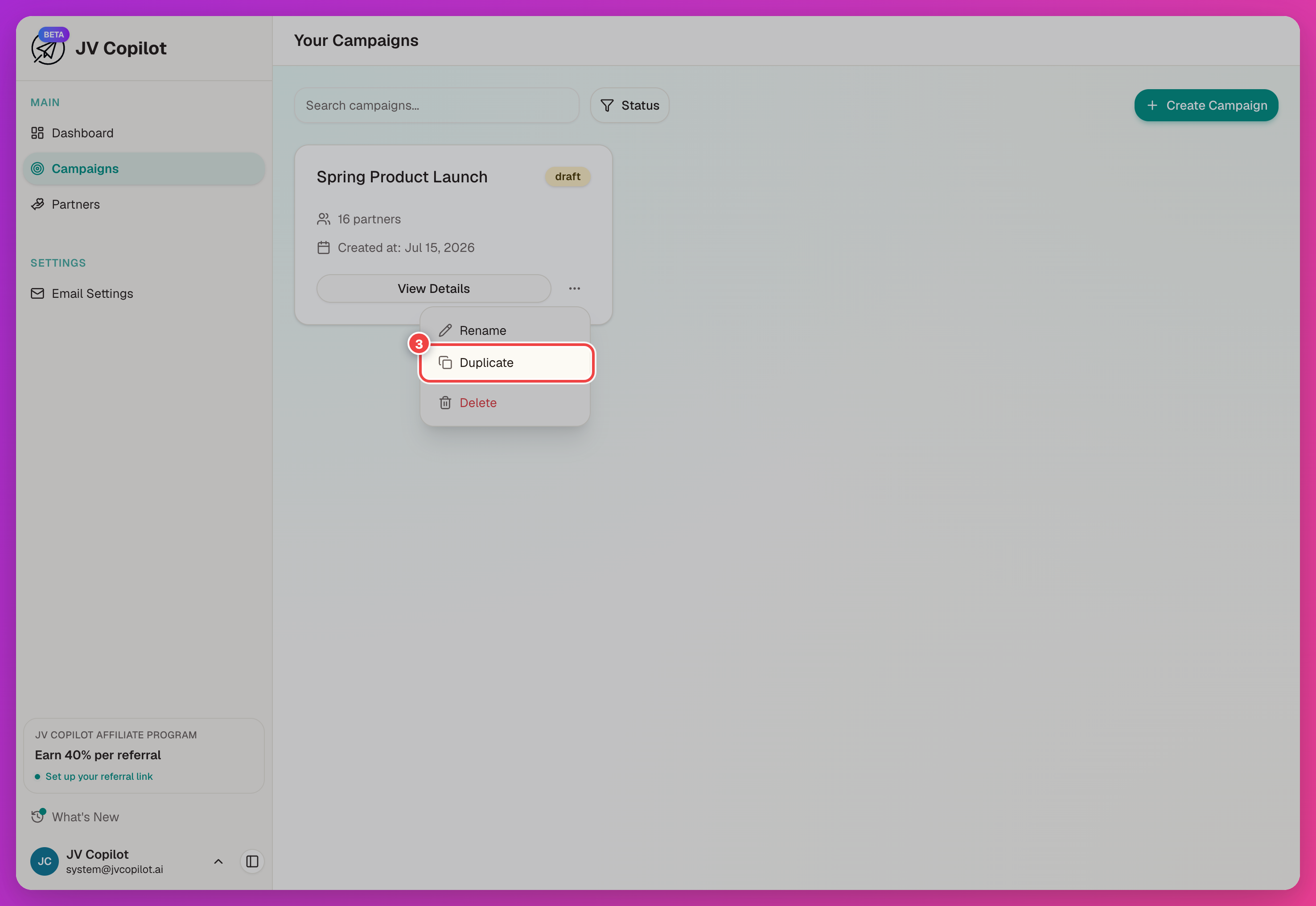
What Carries Over
JV Copilot suggests the name "Copy of <campaign name>." Change the name or campaign type if needed, then choose what to copy from the original:
| Toggle | Copies |
|---|---|
| Description | The campaign description. |
| Materials | Swipe copy and attached materials. |
| Email settings | The campaign's email copy and settings. |
| Referral portal | The referral portal URL, if one is set. |
| Dashboard customization | Partner dashboard customization. |
| Partners | The partner list and their affiliate links. Off by default. |
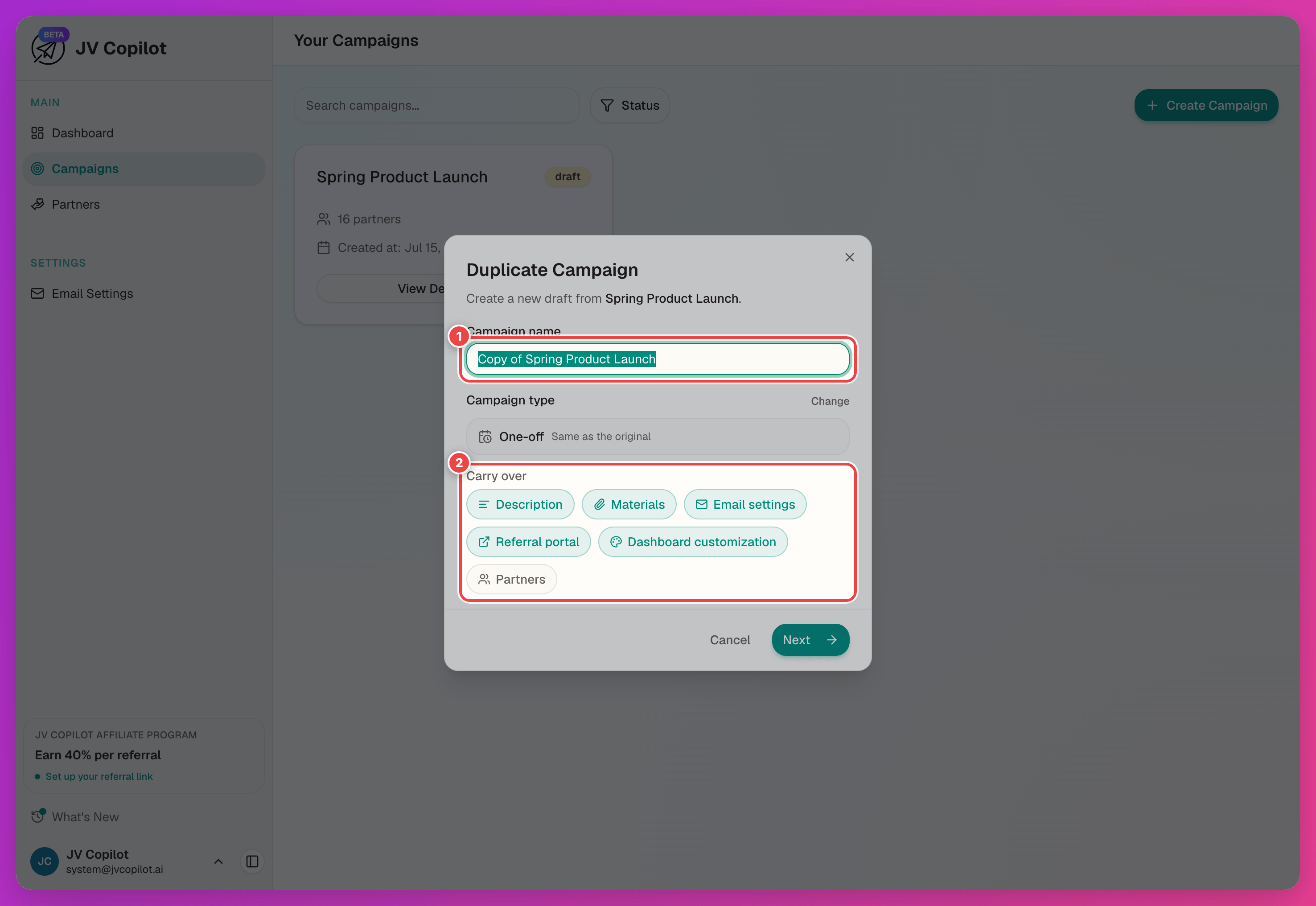
Partners is off by default. Turn it on if the new campaign should include the same partner list and affiliate links.
Set A New Timeline
Click Next, then set the new campaign's promotion window.
Duplicate vs. Hub Campaigns
Duplicate a one-off or recurring campaign when each run needs new dates. A Hub campaign stays open without a fixed promotion window, so you usually do not need to duplicate it.
Review before launch
Carried-over materials and emails may still reference the previous launch. Open the new campaign and check the timeline, swipe copy, email copy, and (if copied) the partner list before launching.
Last updated on