
Partner Groups
Create groups, tag partners into them, filter your database, and add a whole group to a campaign at once.
Partner groups organize people you often work with together, such as partners in the same topic, tier, or past launch.
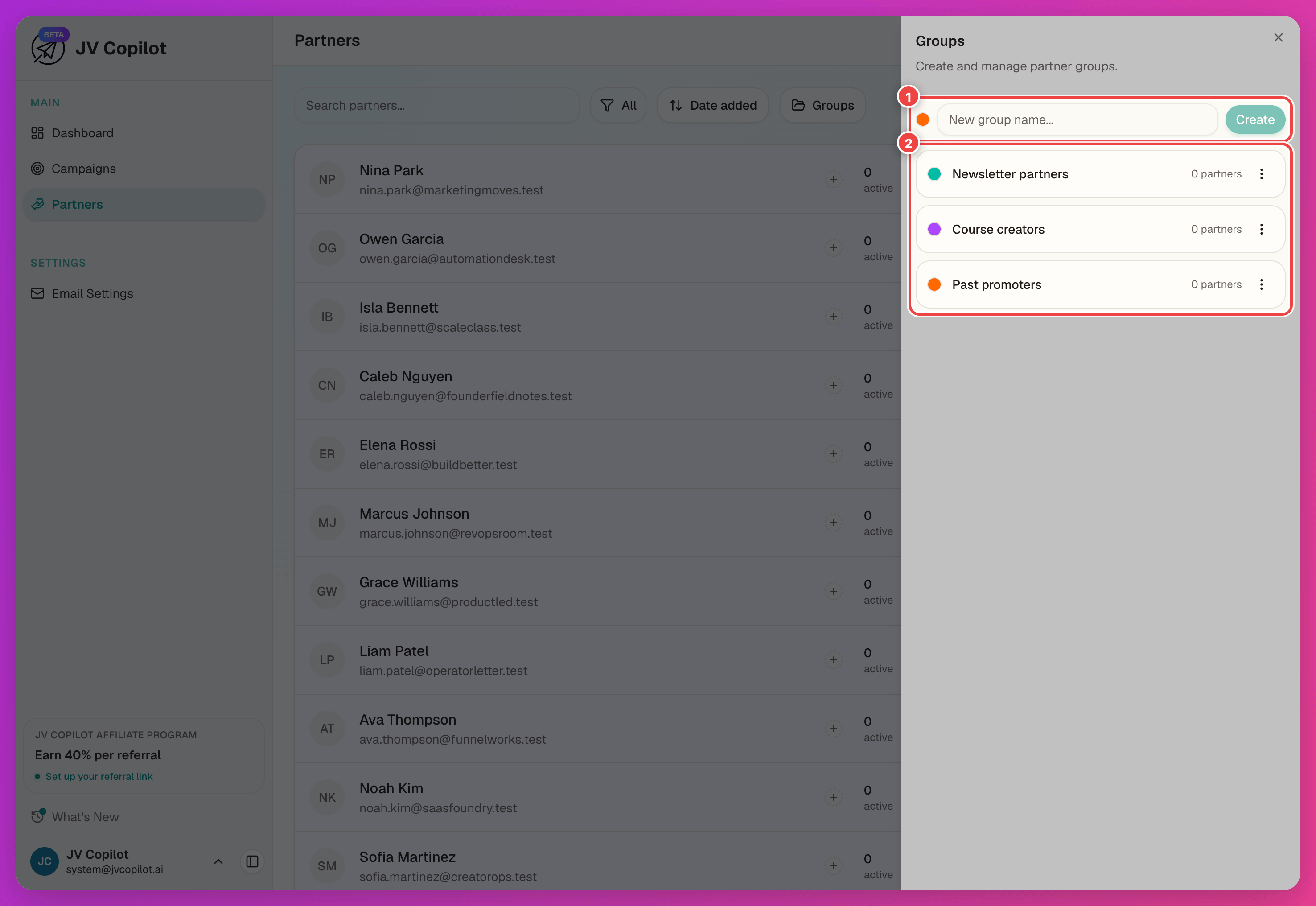
Create A Group
Enter a name in New group name..., choose a color, and click Create. Your groups appear below the form.
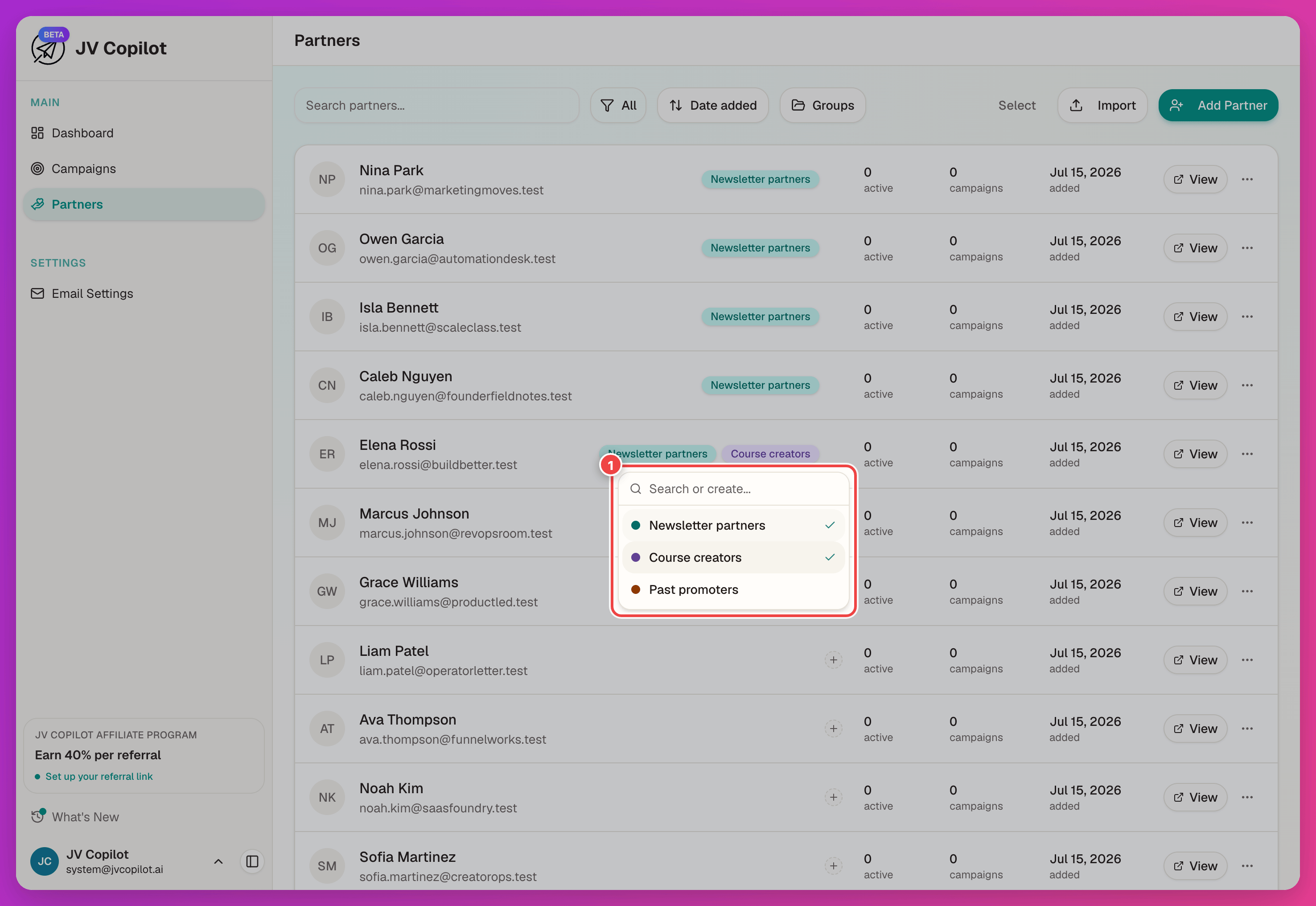
Tag Partners Into A Group
Open the group picker from a partner's row and assign the partner to a group. Group chips show on the row.
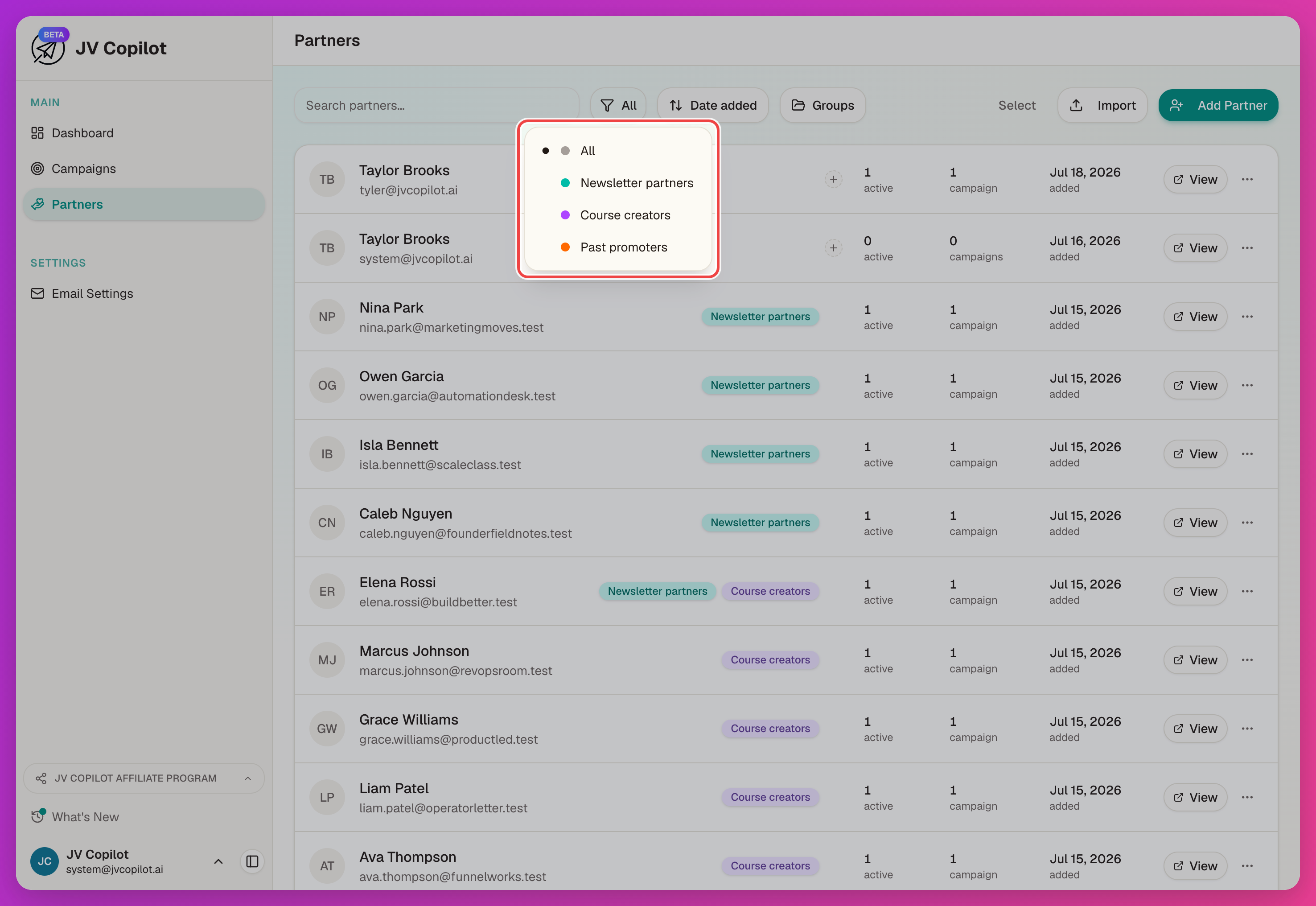
Filter By Group
Use the All filter dropdown in the Partners toolbar to narrow the list to one group.
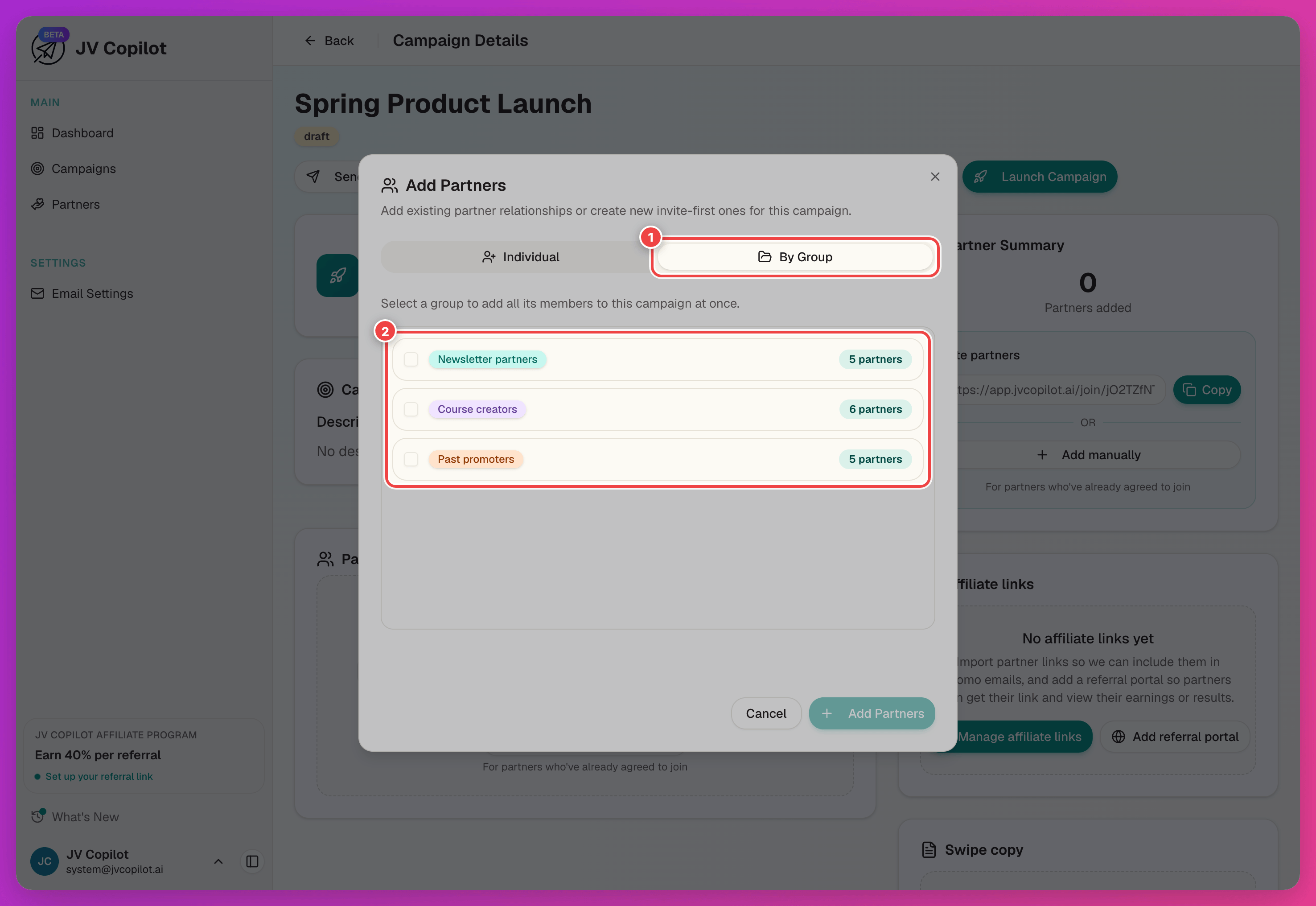
Add A Whole Group To A Campaign
In a campaign's Add Partners modal, switch to the By Group tab to add every partner in a group at once, instead of selecting them one by one.
See Getting Started § Add Partners for the rest of the Add Partners modal, and Campaign Partners for managing partners once they're on a campaign.
Manage Groups From A Campaign's Partner List
You can update groups without leaving a campaign. Click Select in the partner list, choose the partners, then open Groups. Select a group to add the partners, clear a group to remove them, or choose New group… to create one. Use the status filter first if you only want to select partners with a certain status.
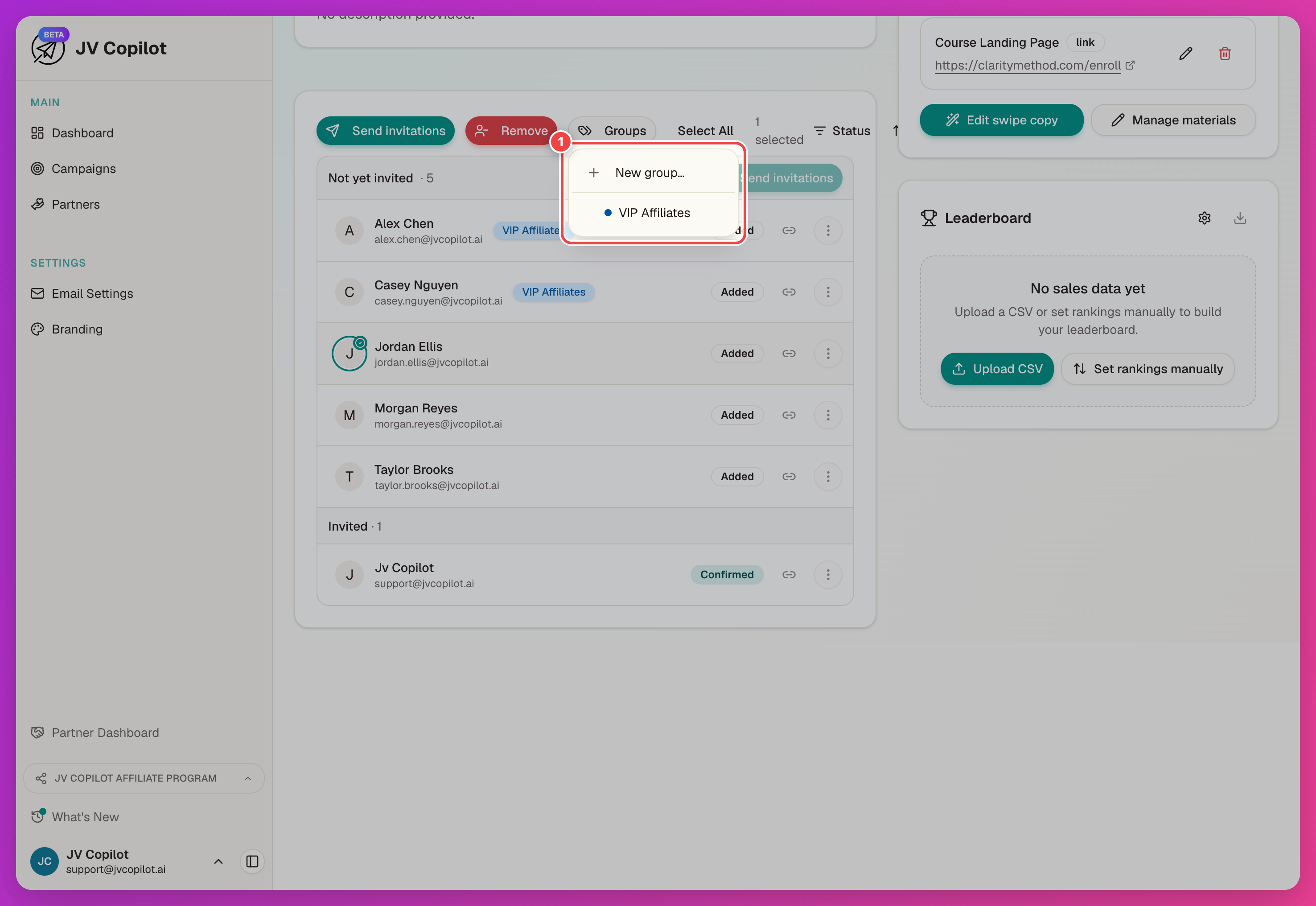
See Campaign Partners for the rest of that selection toolbar — bulk invites, removal, and the status filter.
Last updated on