
Sender Identity
What partners see as the sender on campaign emails, and how to change it.
Your sender identity is the name and reply address partners see on campaign emails. JV Copilot sets it from your name during onboarding, and you can change it from Sending as in Email Settings.
Change Sender Identity
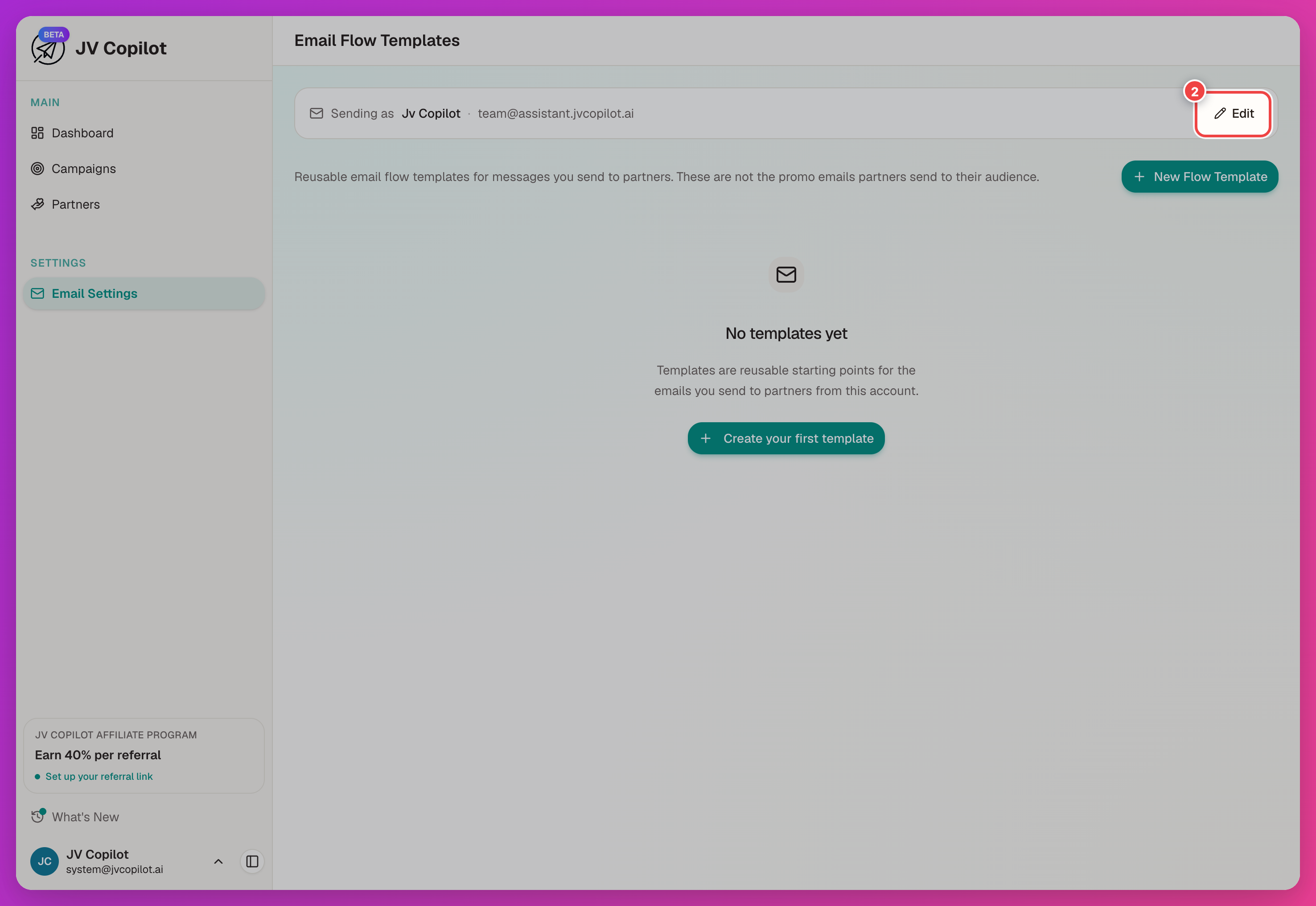
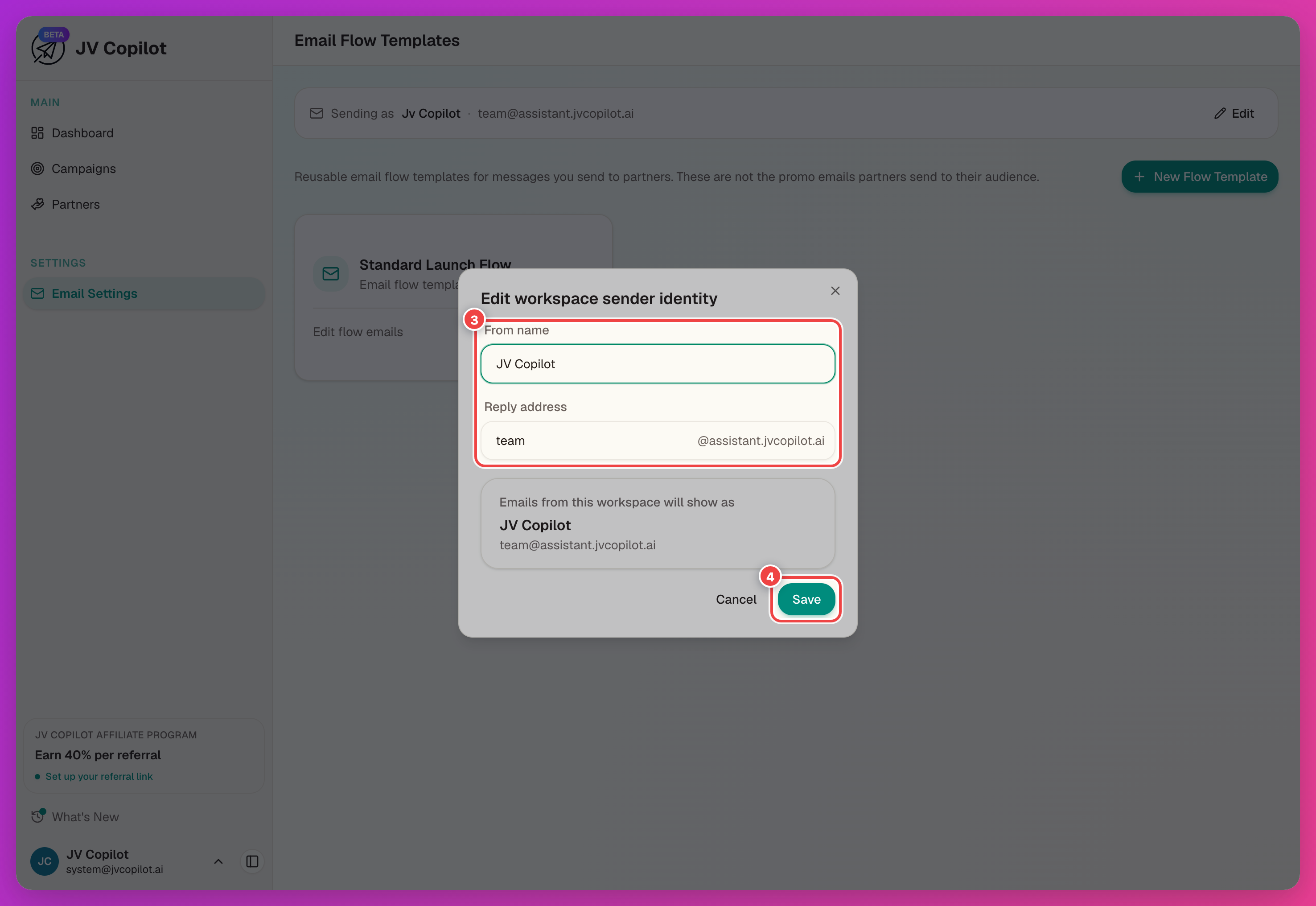
What Partners See
This name and reply address apply to every campaign in the workspace. Use a name partners will recognize, such as your name, team, or brand.
Workspace-Scoped
Sender identity belongs to the workspace. If you manage more than one workspace, check which one is active before making changes. Workspace members can edit sender identity unless an admin restricts this in team permissions.
For a guided setup that covers sender identity alongside the rest of the email flow, see Set Up Campaign Emails.
Last updated on