
Email Types Reference
What each of the eight campaign email types sends, to whom, and when.
JV Copilot includes seven emails for partners: Invitation, Invitation Reminder, Dates Confirmed, Kickoff, Send-Day Reminder, Send-Day Follow-up, and Thank You. Partner Reply is an eighth email that forwards partner replies to you. Open Customize Emails on a campaign to review or edit them.
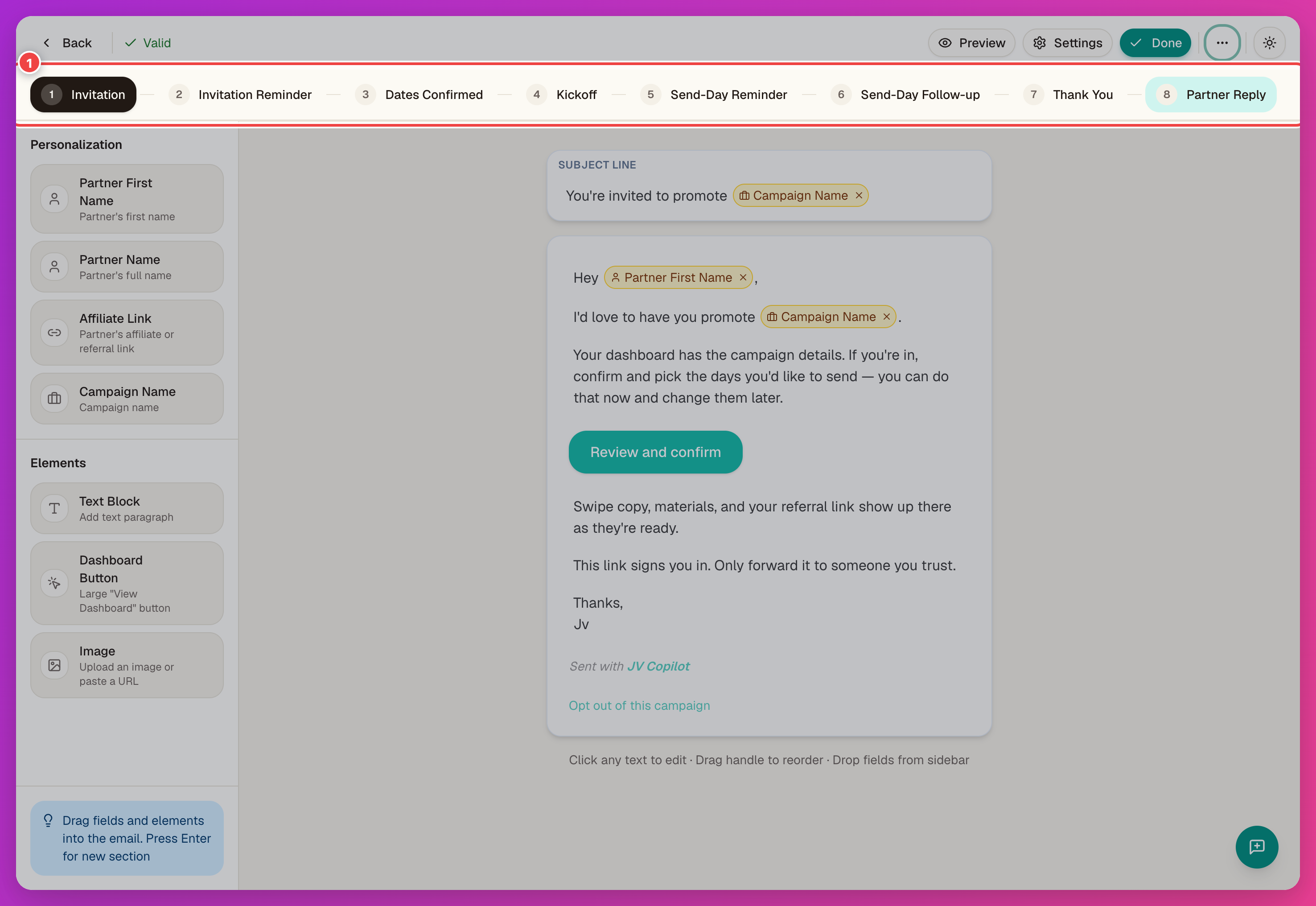
The Eight Email Types
| Sends when | Contains | |
|---|---|---|
| Invitation | Campaign launches | The invite and a link to the confirmation form. Usually the first message a partner sees — review it before every launch. |
| Invitation Reminder | Partner hasn't submitted the confirmation form yet | A nudge back to the confirmation form. |
| Dates Confirmed | Right after a partner submits the confirmation form | Confirmation that they're in, plus what to expect next. |
| Kickoff | As the campaign's promotion window opens | Swipe copy, materials, and instructions for confirmed partners. |
| Send-Day Reminder | Around the partner's chosen send date | A reminder to publish or send today, with their affiliate link. |
| Send-Day Follow-up | After the partner's send date | A check-in on activity and results, encouraging any remaining promotion. |
| Thank You | Once the partner's campaign work is done | Thanks the partner and wraps up their participation. |
| Partner Reply | A partner replies to one of their tracked emails | Forwards the partner's reply to your inbox so you can answer directly. Sent to you, the campaign owner — every other email above goes to the partner. |
JV Copilot fills personalization tags, such as partner name, affiliate link, and campaign name, for each recipient. Partners can still edit fields intended for their own copy.
Before sending a test or launching, check each email's subject line, campaign name, dates, resource links, and sender identity.
Last updated on