
Email Presets & Templates
Create reusable flow templates, use the template editor, and see how template emails differ from campaign emails.
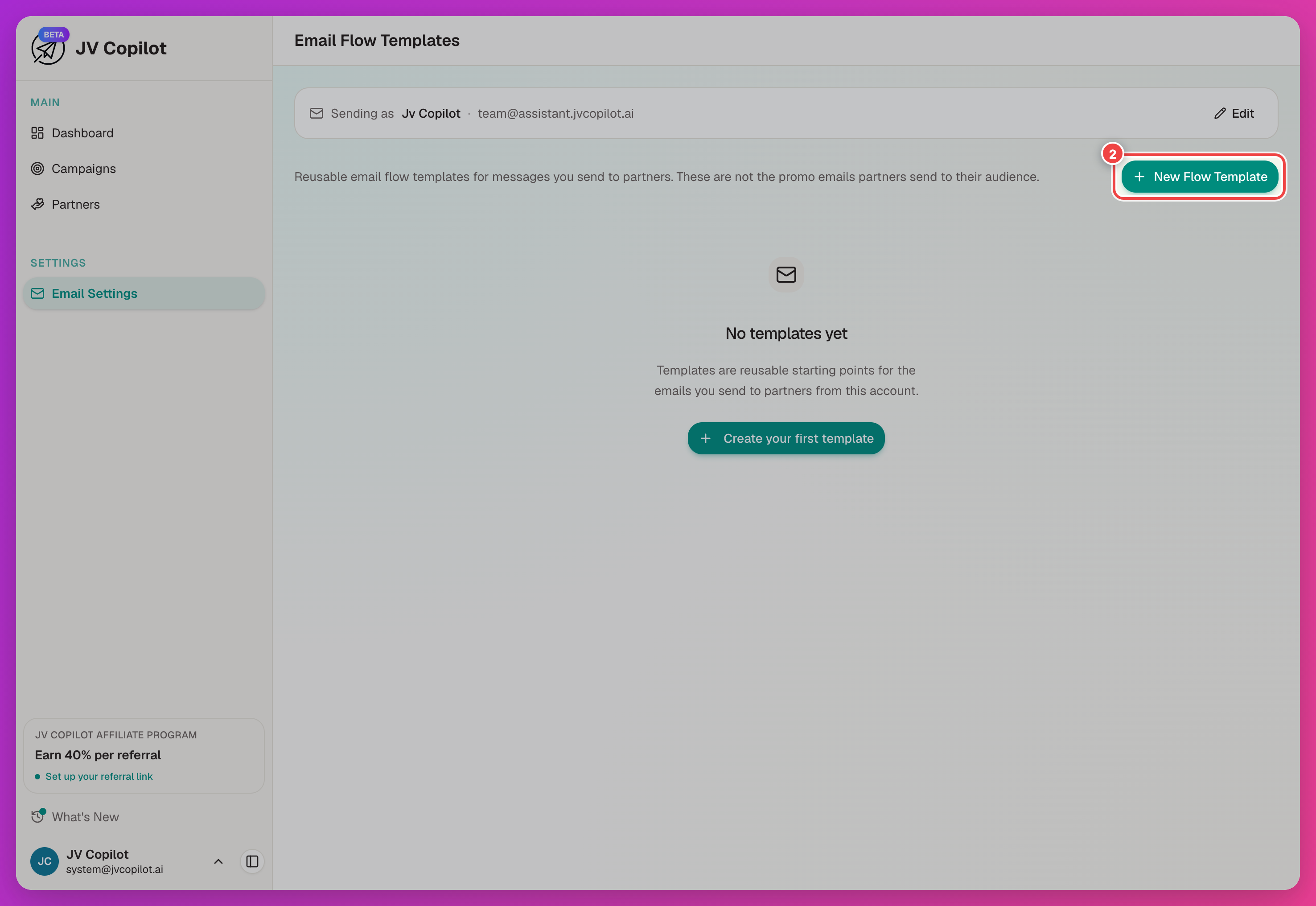
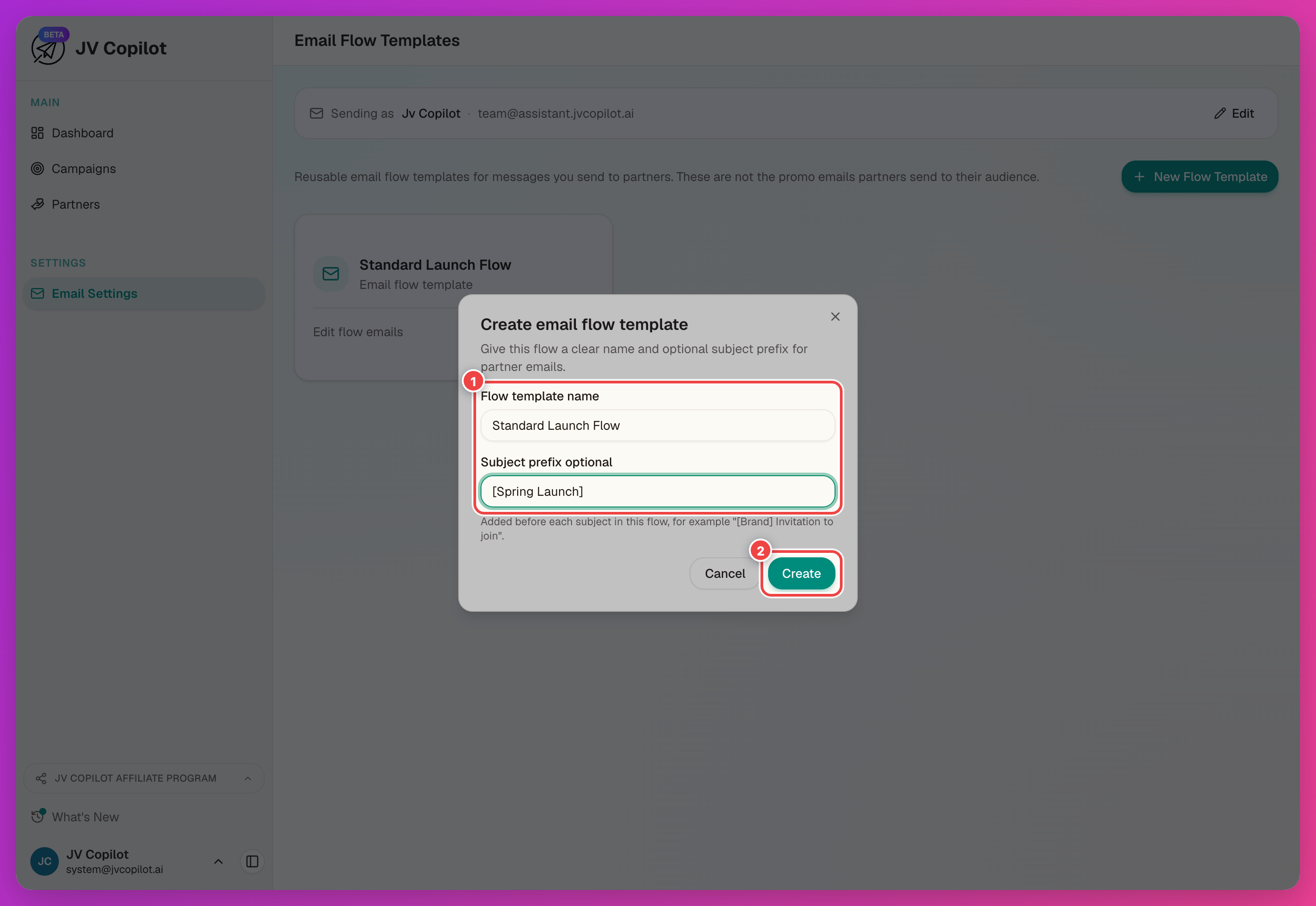
Flow templates let you reuse a set of partner emails across campaigns. Create a template for launches that follow the same pattern, then adjust individual campaign emails as needed. See Set Up Campaign Emails.
Create A Flow Template
Edit A Template
The editor lists eight email types across the top: Invitation, Invitation Reminder, Dates Confirmed, Kickoff, Send-Day Reminder, Send-Day Follow-up, Thank You, and Partner Reply.
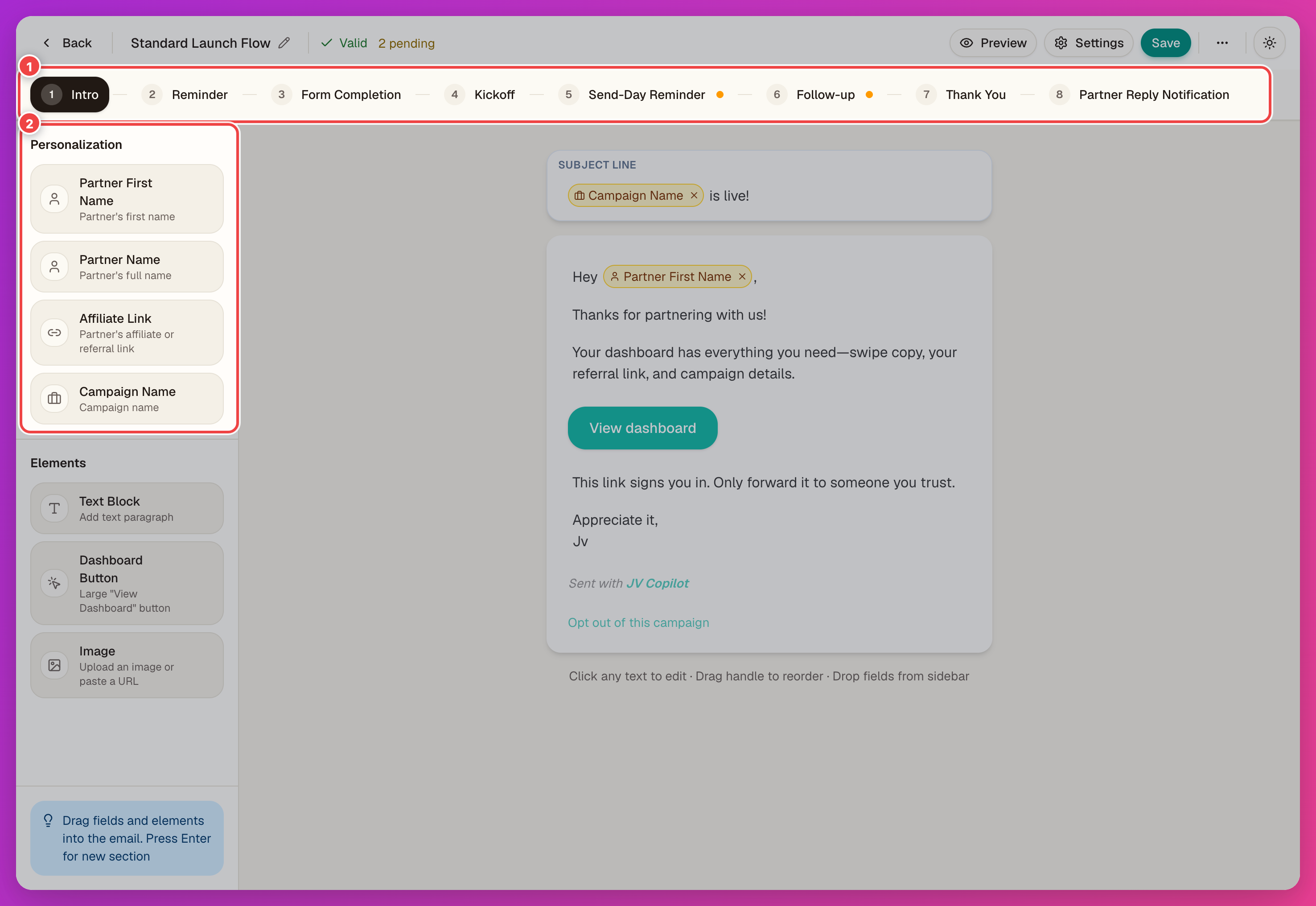
Use the Personalization panel to add details such as the partner name or affiliate link. Use Elements to build the rest of the email.
Template Emails vs. Campaign Emails
Templates and campaigns use the same eight email types. See the email types reference for each email's purpose and timing.
Editor Navigation
If you open a template from a campaign, use Back to campaign to return to that campaign's email editor. Otherwise, Back to templates returns to the template list.
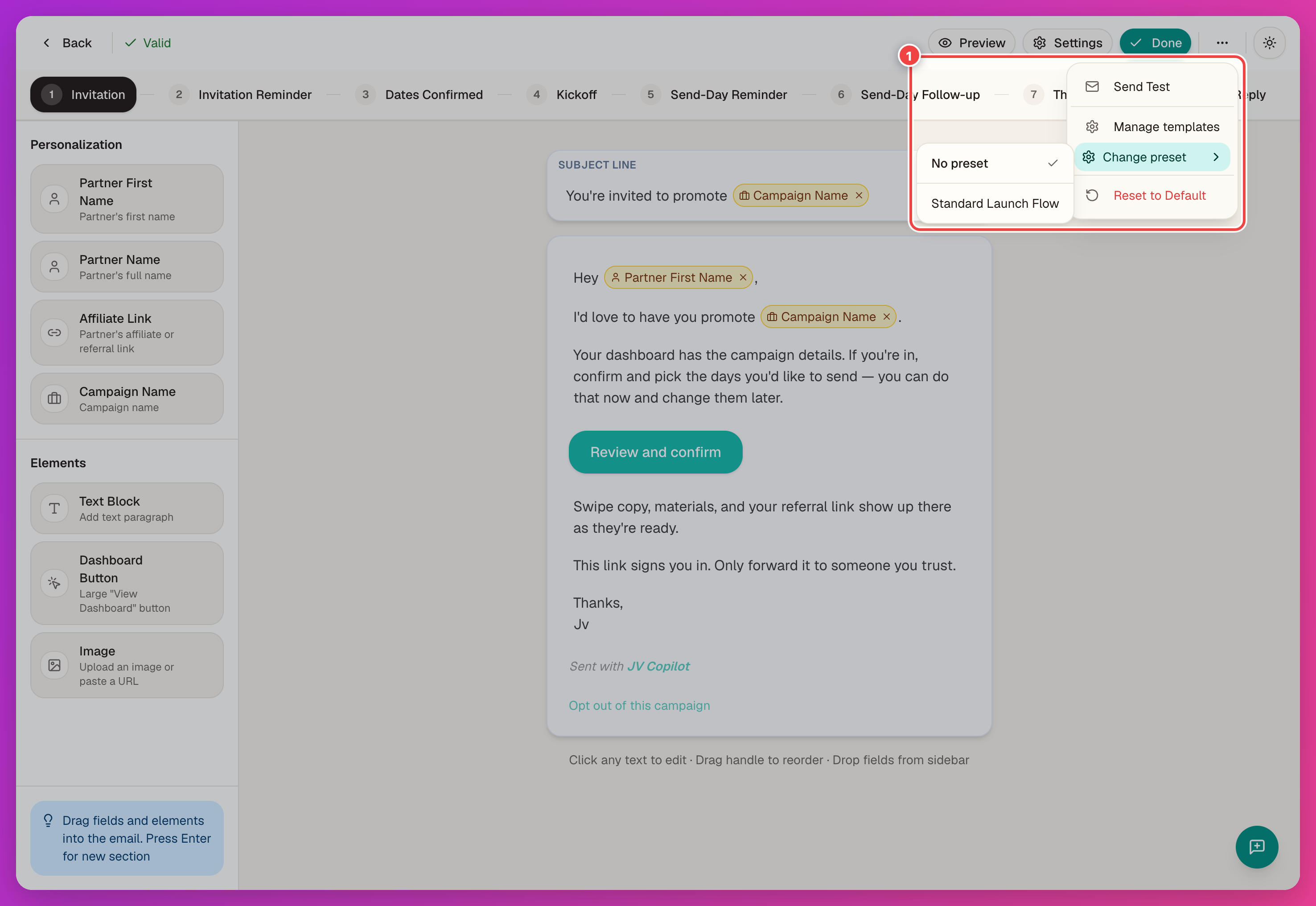
Use More options → Change preset to choose a different template or No preset without leaving the campaign editor. Save your email changes first; switching templates discards unsaved changes.
Manage Templates
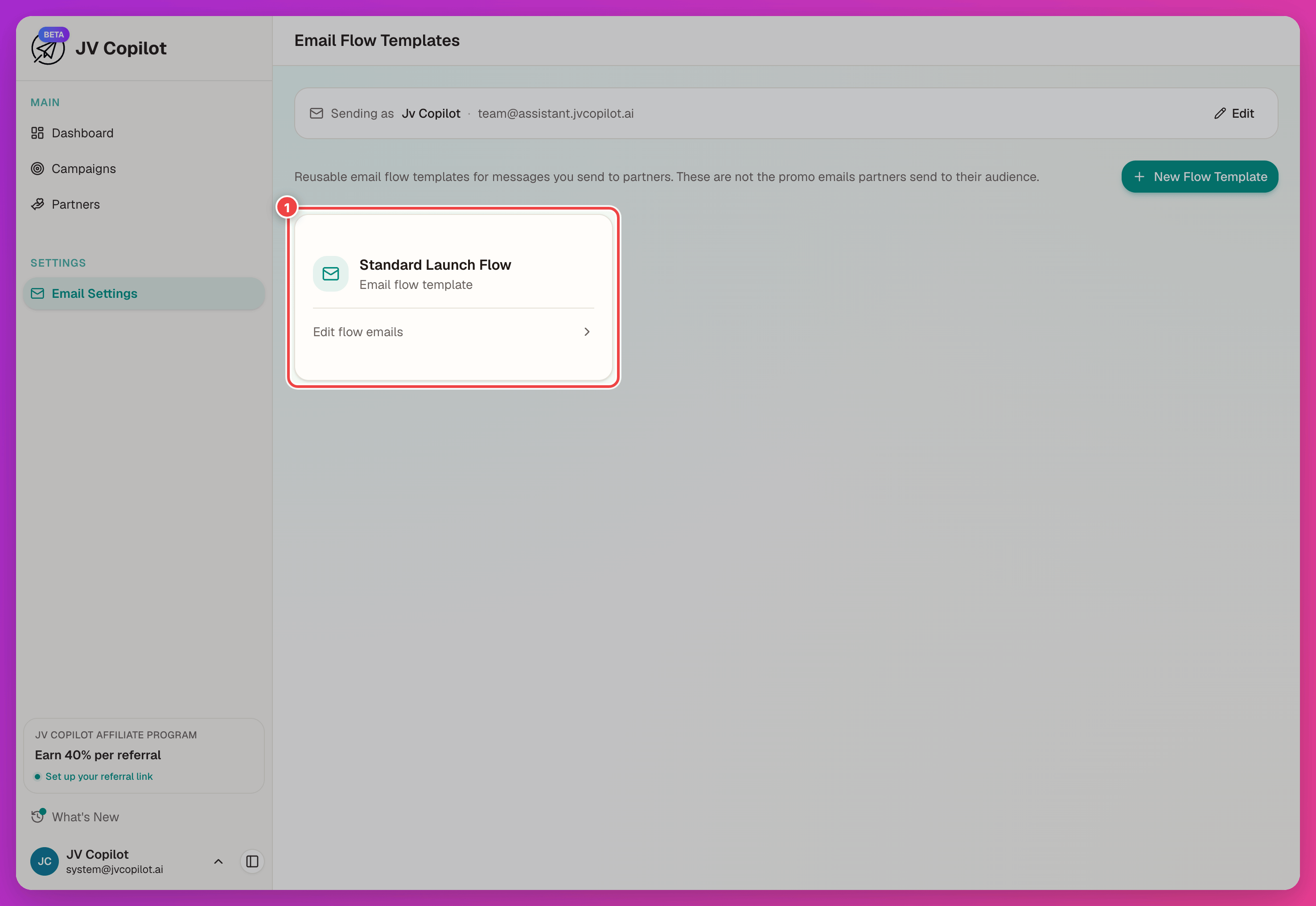
Templates show as cards in the Email Settings grid — open one with Edit flow emails to change its copy.
See Sender Identity for the from name and reply address every campaign email — template or campaign — sends from.
Last updated on