
Workspace Basics
What a workspace is, how sharing works, how to switch between workspaces, and why adding people is free.
A workspace holds everything you build in JV Copilot — campaigns, partners, email settings. Every account comes with one, and you can invite other people into yours for free.
Your Workspace
Your workspace is tied to your account and created when you sign up. Everything you create — campaigns, partners, groups, email settings — goes into it.
Sharing A Workspace
Sharing works in both directions:
- You invite people into your workspace — see Invite A Team Member.
- Other people invite you into theirs. Their workspace shows up in your account under Shared with you.
Inside a shared workspace you see the same campaigns, partners, and email settings the owner does. What you can change depends on your permissions — see Team Members.
Switching Workspaces
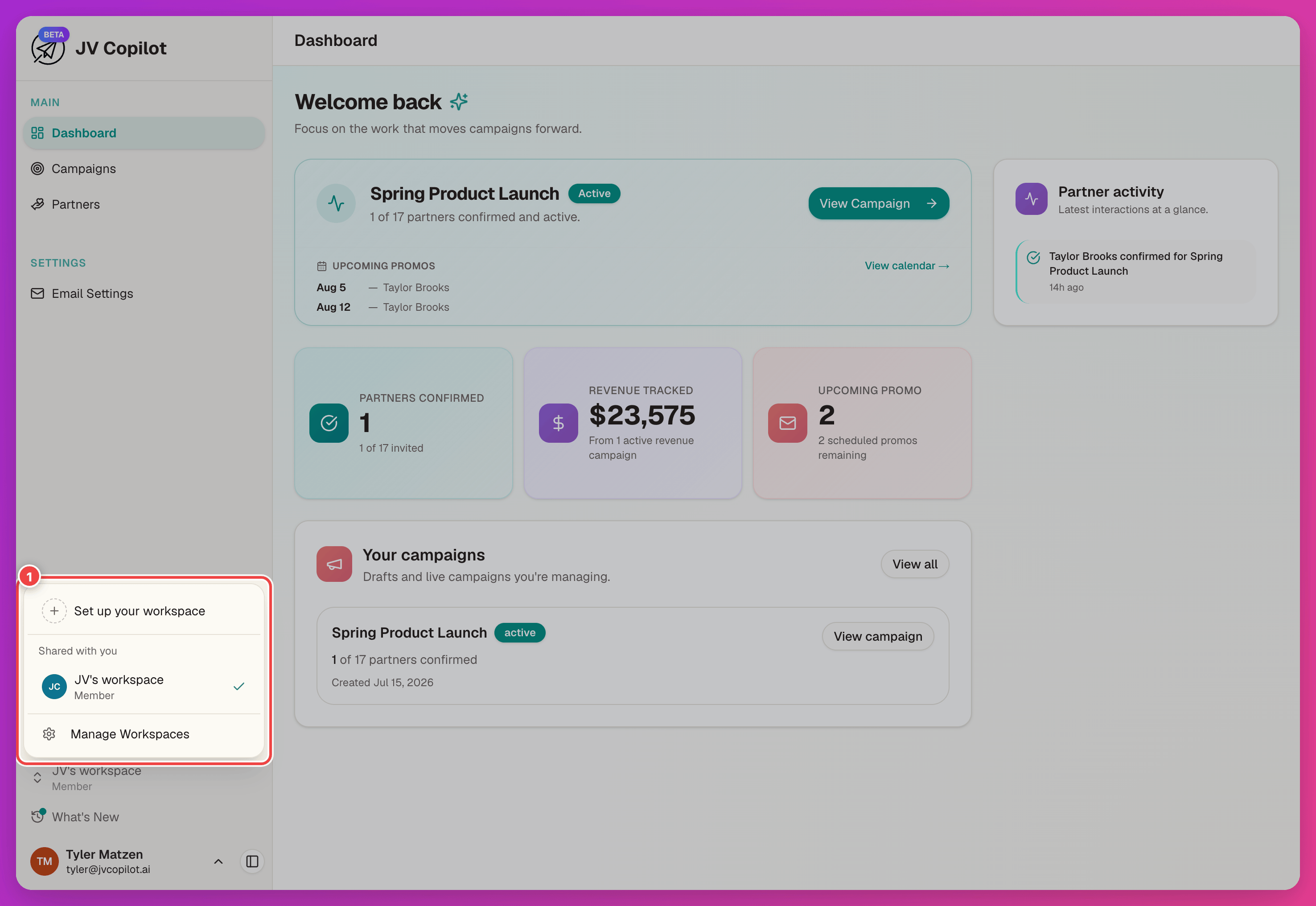
The workspace switcher sits at the bottom of the sidebar. Click it to see your own workspace, any workspaces shared with you (with your role next to each), and Manage Workspaces.
Everything Belongs To One Workspace
Campaigns, partners, groups, and email settings belong to a workspace — not to you personally. If you can't find a campaign or partner you expect to see, check which workspace you're in first.
Check the workspace before you edit
Changes only affect the workspace you're currently in. Confirm you're in the right one before editing email settings, launching a campaign, or inviting a team member.
Adding People Is Free
Adding people to your workspace is free — no seats or per-user fees.
Billing stays with the workspace owner: the owner's plan controls launching campaigns, and invited members don't need a paid plan of their own. Members also won't see billing controls or invoices in a shared workspace — that's expected.
To manage your own subscription, switch to your own workspace and open Account & Billing. Plan changes for a shared workspace are the owner's to make.
Last updated on