
Claude & AI Assistants
Connect JV Copilot to Claude, then ask about your campaigns and set them up by chat.
Connect JV Copilot to Claude to check what's left before launch, add partners, write swipe copy, and edit partner emails from a chat.
Claude connects as a custom connector. JV Copilot isn't listed in Claude's connector directory yet. ChatGPT and Gemini apps are coming soon.
Connect Claude
- In JV Copilot, open Settings → Integrations. Under AI assistants, click Connect next to Claude.
- Claude opens with the Add custom connector form filled in. Click Add.
- Connect JV Copilot in Claude. Sign in to JV Copilot if asked, then click Allow.
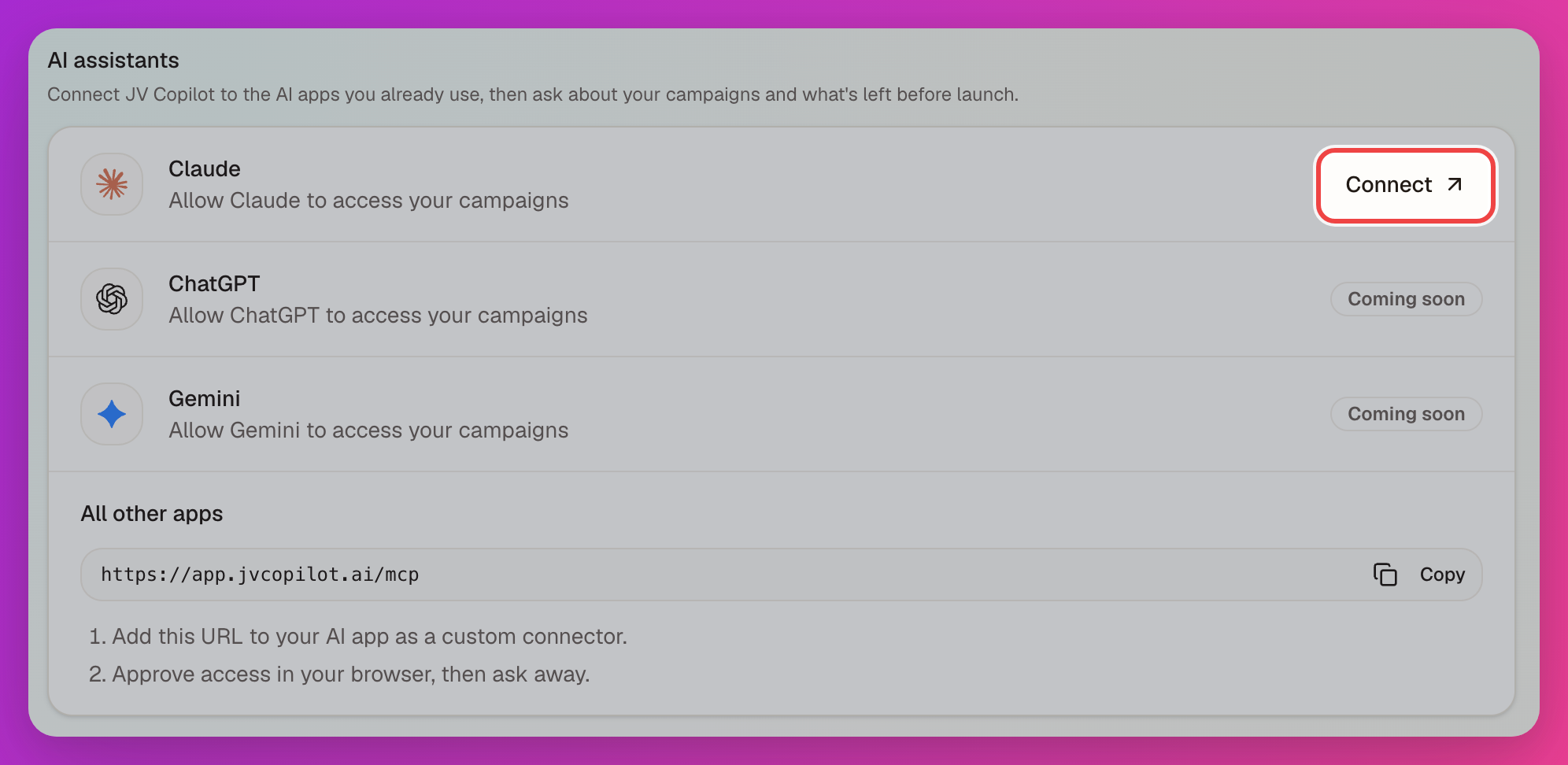
To add it by hand, open Connectors in Claude settings, choose Add custom connector, and use this URL:
https://app.jvcopilot.ai/mcpClaude works in the workspace you have open in JV Copilot.
What You Can Ask
- "What's left before my Summer Product Launch goes live?"
- "Create a campaign for my Wellness Webinar on March 12."
- "Add these partners and their affiliate links." (paste a list)
- "Import my swipe copy from this Google Doc."
- "Rewrite the partner invite email to sound more personal."
- "Send me a test of the reminder email."
Claude can:
- List campaigns, check launch readiness, and show a campaign card with an Open in JV Copilot button.
- Create campaigns and change their name, goal, description, and dates.
- Add partners and set affiliate links. Adding partners doesn't email them.
- Read and replace the swipe copy.
- Read and edit partner emails, and send a test to your own inbox.
- Read and edit the public recruitment page.
- Invite partners.
- Write swipe copy and partner emails using JV Copilot's copywriting guidelines.
- Search these docs.
Inviting partners emails real people, and edits to a published public page go live immediately. Claude asks you to confirm these first.
Launching a campaign, billing, and connecting GoHighLevel happen in the JV Copilot app. Claude gives you a link.
Disconnect
In JV Copilot, open Settings → Integrations and click Disconnect next to Claude. Access ends immediately.
If Claude says the connection has expired, connect it again from Settings → Integrations.
Other AI Apps
Any AI app that supports custom MCP connectors can connect. Copy the URL under All other apps on the Integrations page, add it to the app as a custom connector, then click Allow in your browser.
ChatGPT and Gemini apps are coming soon.
Last updated on